
In the world of digital marketing, where every click and view matters, finding quality traffic can be challenging, as can attracting it in the necessary volumes. The likelihood of encountering networks with low traffic volumes and with bots is very high because they are almost everywhere today.
This is why OctoClick focuses on the quality not only of the traffic attracted but also of everything surrounding the process of generating it. It collaborates only with direct publishers who undergo a rigorous compliance check before joining the network.
Publishers and advertisers will find many useful tools here, a proprietary end-to-end analytics system, and the most effective advertising formats.
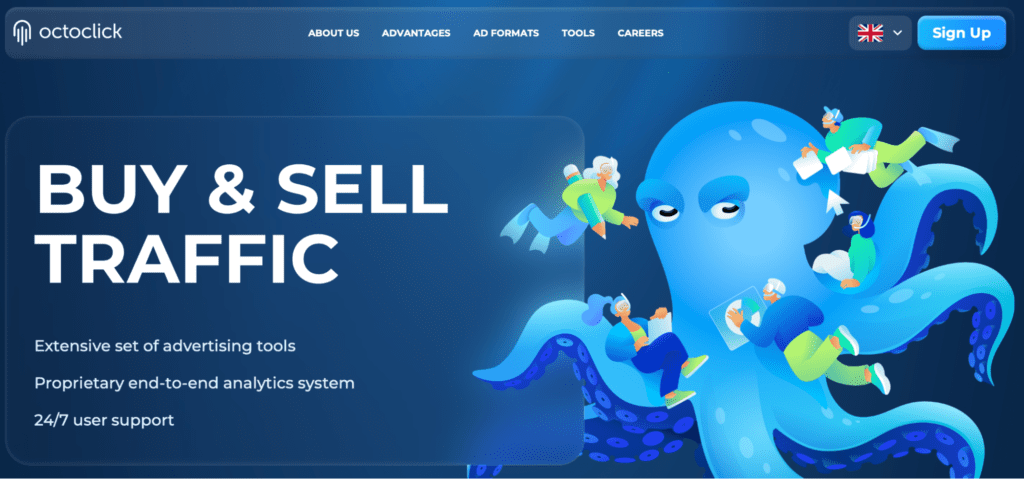
Today, we will provide a detailed review on this ad network, its advantages, conditions for cooperation with publishers and advertisers, advertising formats, and a look at how everything is arranged in the personal account.
To make it even more interesting, here’s a promo code AFFDAYS which gives you a 5% bonus on your first account top-up.
Advantages and Ad Formats in OctoClick
The network entered the market over 9 years ago. This time has been dedicated to development, as evidenced by excellent results. The traffic volumes are indeed large. See for yourself:
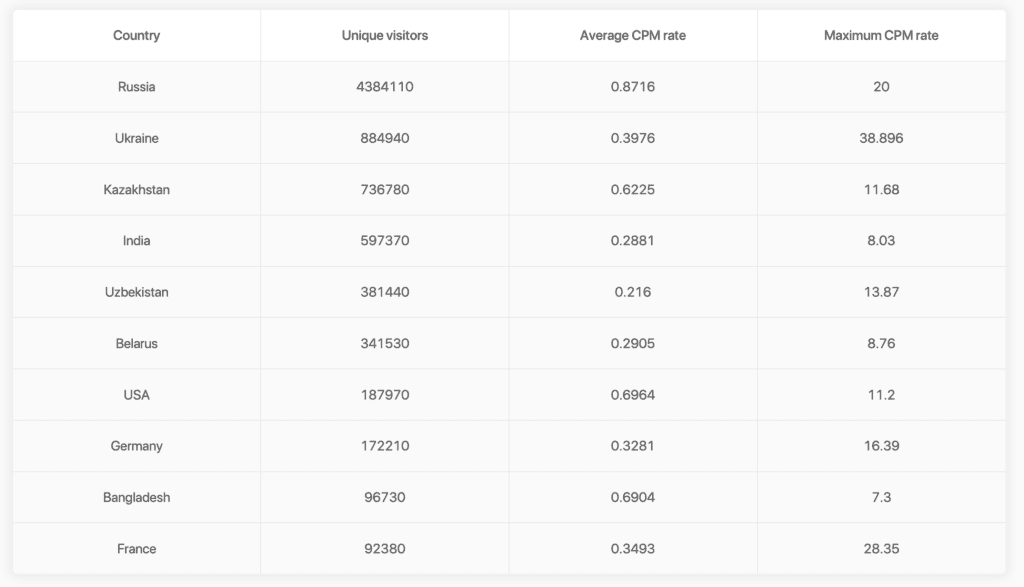
You can work with several verticals here. The most in-demand include dating, gambling, betting, adult-oriented nutra, and adult. Key geos are the USA, Germany, India, Bangladesh, Russia, Ukraine, Kazakhstan, Uzbekistan, Belarus, Kyrgyzstan, and some others. Both Tier-1 and emerging markets are represented, with advantages in each.
Only the most effective advertising formats are presented here:
- Highly technological and convenient in-page push, allowing you to choose and edit ad creatives of any theme. CPC starts from $0.006.
- Native Ads, which are raster images or gif animations with text that fit into the design of the site where they are placed. CPC starts from $0.012.
- Pop Ads, where the ad tab opens directly on the website page. CPC is the cheapest at only $0.003.
The main advantage is the highest quality of traffic. When you do the same things as competitors but better, it is always compelling. This quality is achieved through direct cooperation with websites. To join the ad network, site owners must pass a rigorous check, which does not take much time. Usually, the whole process takes no more than 10 minutes. If needed even faster, you can always contact support.
This approach eliminates the need to create blacklists and whitelists. Nevertheless, users are not deprived of this opportunity — they can create such lists based on their own experience and preferences.
Here are the requirements for websites. They must not contain prohibited content and must comply with the system’s rules. Additionally:
- At least 500 hosts per day from search engines consistently for a week
- The site must be on paid hosting
- More than 65% of the traffic must be from search engines
Not accepted websites are those:
- Distributing viruses and other malicious programs
- Overloaded with advertising materials
- Providing hosting services for image and link placement
- Attracting axle-box traffic and traffic from CAP systems
For Advertisers, there are:
- Popunder/clickunder and native teasers
- Extensive targeting options: geo, browsers, OS, IP range, ISP, and many others
- No geo restrictions
- Flexible traffic rates
- Integration with most trackers
- Convenient top-up methods
For publishers, there are also many useful features. Firstly, the minimum withdrawal amount is indeed minimal — only $10 for WMZ and $50 for USDT. Currently, there is only one payment model — CPC, but CPM is expected to be available very soon.
Secondly, there are many other advantages:
- An auction-based monetization system;
- Advanced moderation;
- Safe ads for search engines;
- The best CPM in the CIS market;
- Weekly payouts and on-request payouts via various methods.
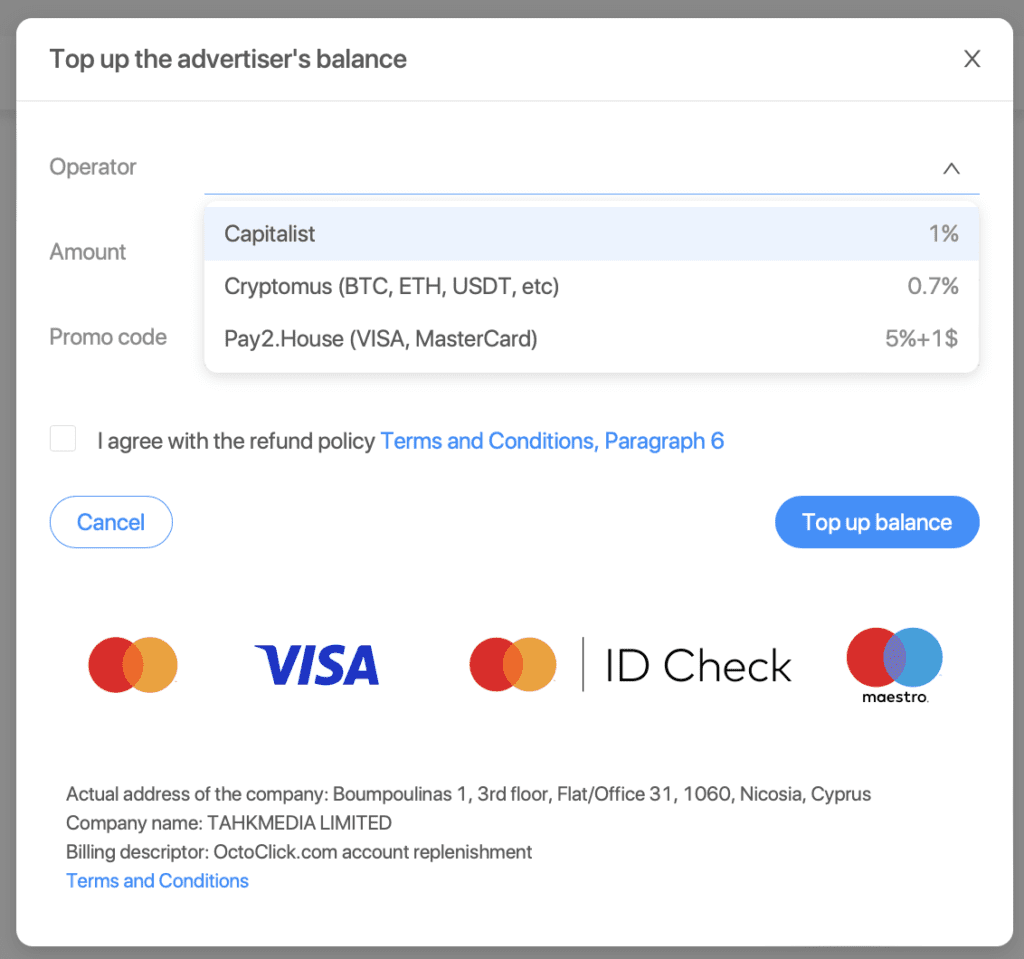
The minimum deposit is also quite small — only $20. You can top up your account through:
- Capitalist; Cryptomus — BTC, ETH, USDT, and other cryptocurrencies;
- Pay2.House — Visa, MasterCard.
- PayLama.
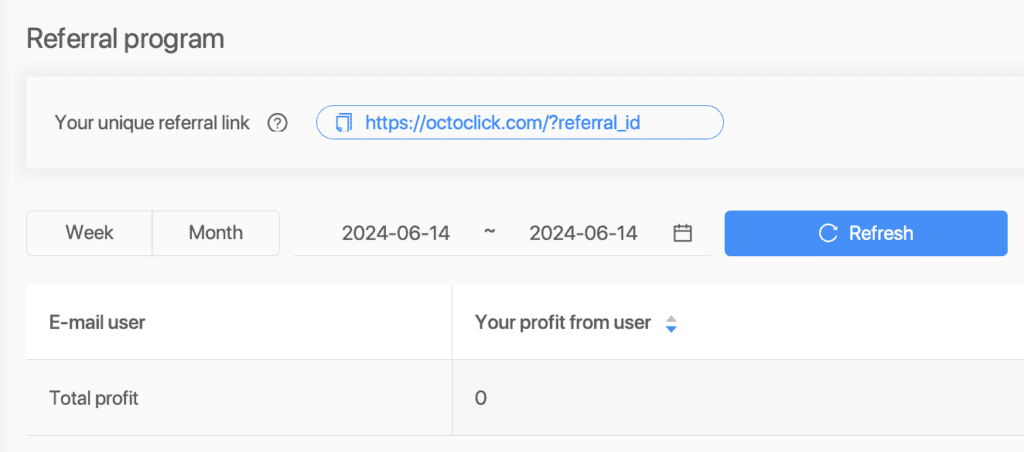
There is also a referral program for each role. The rate is 5% of the advertiser’s spending or the webmaster’s earnings.
Sign Up Process
The sign up form is the same for each role. To join, you need to fill out the following details: name, email, password, messenger, and choose the role you are registering as.
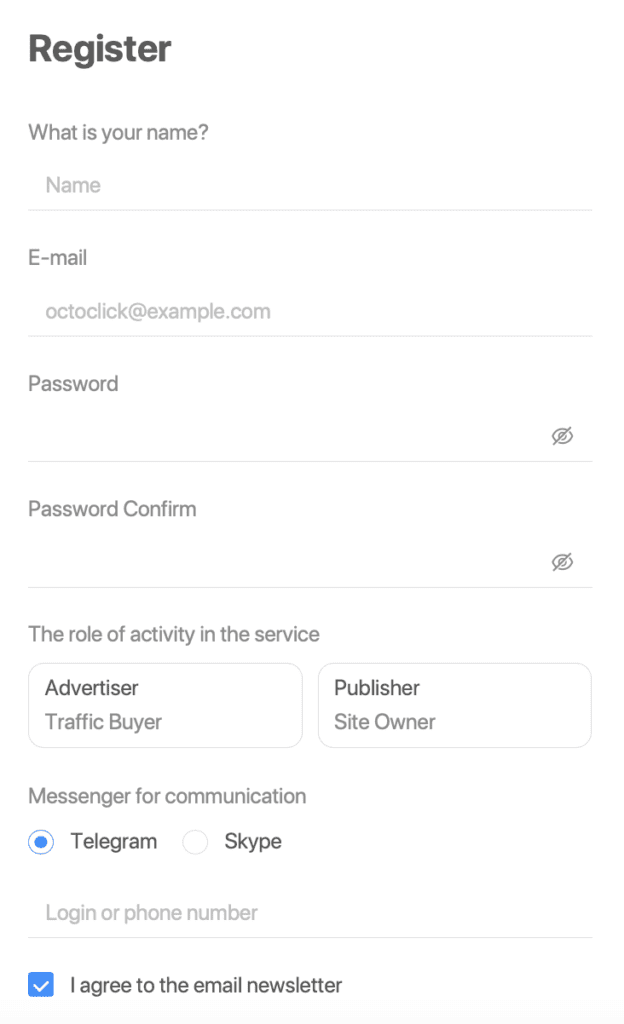
You can also sign in using your Google account if you have one.
Overview of the Advertiser’s Dashboard
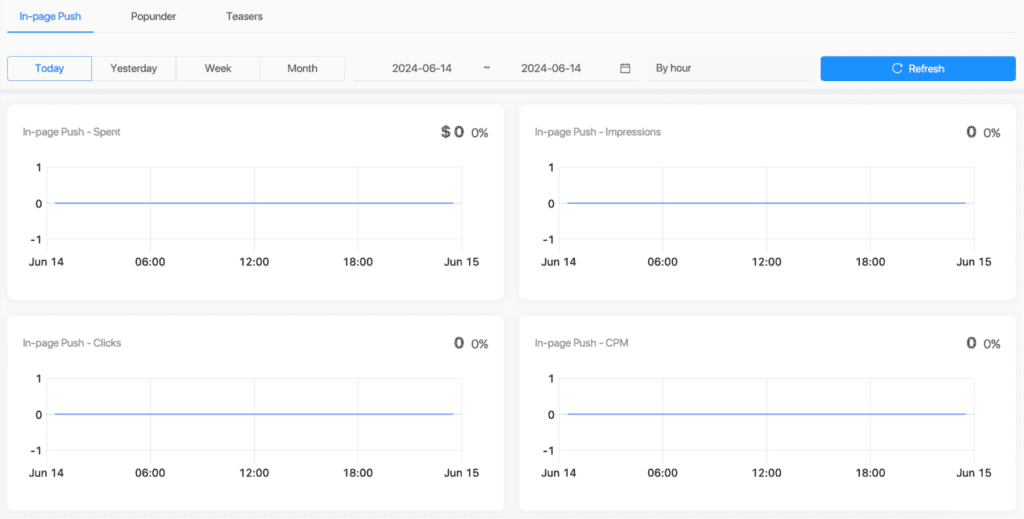
In the ‘Dashboard’ tab, you can view statistics on expenses, impressions, and clicks:

You can also view charts (or tables if you prefer) for the three main advertising formats across four parameters:
- Expenses
- Impressions
- Clicks
- CPM
Upon your first visit to the “Campaign” tab, you will be offered a tutorial video if you are unfamiliar with how things work here. The video explains creating and launching a campaign in the dashboard, setting up targeting, creating creatives, and choosing the appropriate ad format. Your campaigns are also displayed here:

Creating campaigns is very simple, consisting of just three steps:
1. Name, theme, final goal (subscription, registration, etc.), and hourly budget.
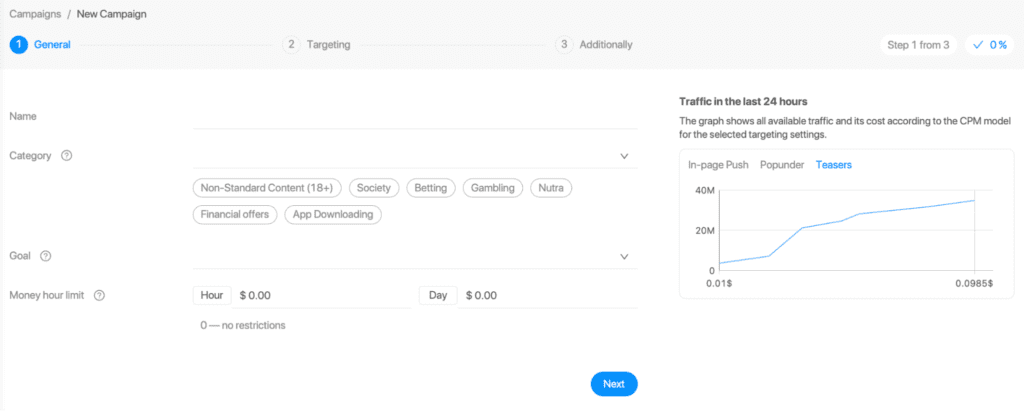
2. Setting up targeting across multiple parameters, including geo, carrier, OS, OS version, device type and manufacturer, time frames, and more.
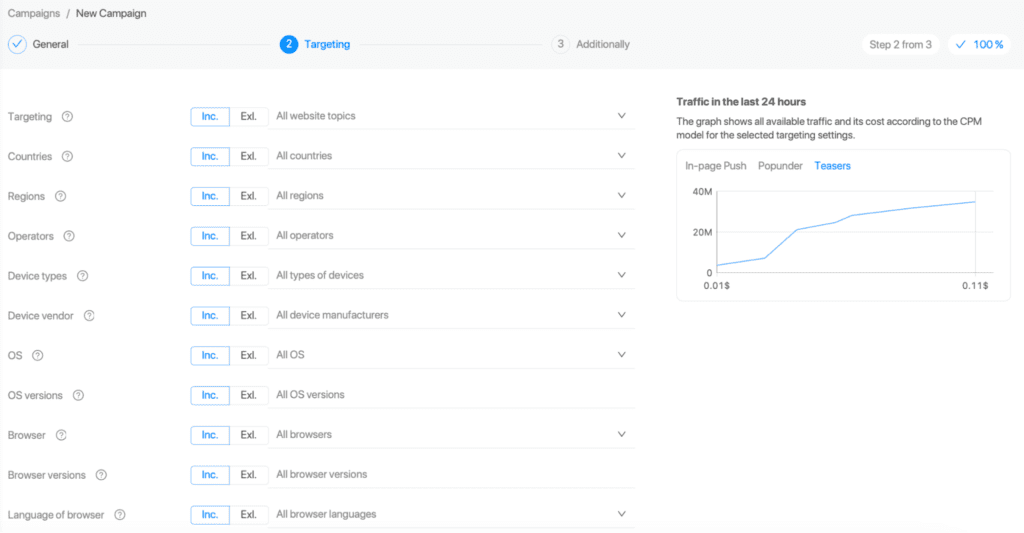
3. There are only two additional settings: tracking link presets for passing display expenses for teaser ads to the ADS Bridge tracker and 2S2 postbacks for analytics and collecting conversion data on the traffic source side.
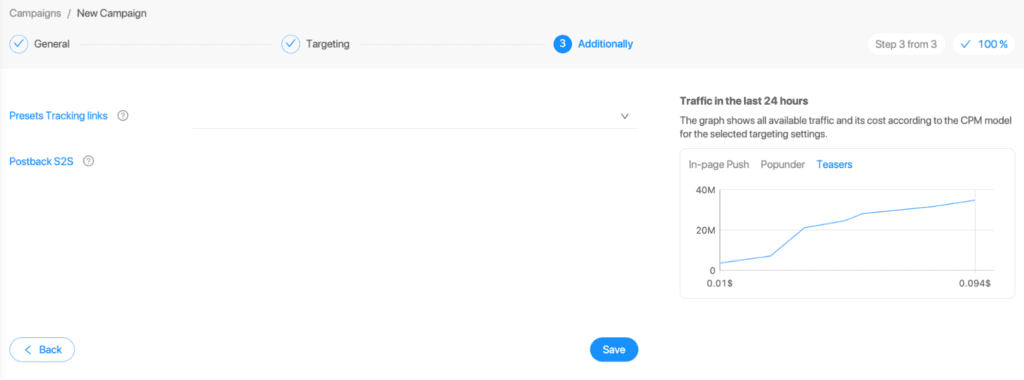
At each step, a graph displays all available traffic and its cost based on the CPM model for the selected targeting settings. After completing these steps, you need to click the “Save” button, and the advertising campaign will appear in the list.
The “Creatives” tab is used to create ads for previously created advertising campaigns. Click the “Add” button and select a campaign. Creatives are also created in several stages.
1. “General” — Here, you come up with a name and select the type of creative: in-page push, clickunder, or teaser. To determine the most effective resource for transitions, you can enable split testing, as well as set the landing page URL and post-moderation status.
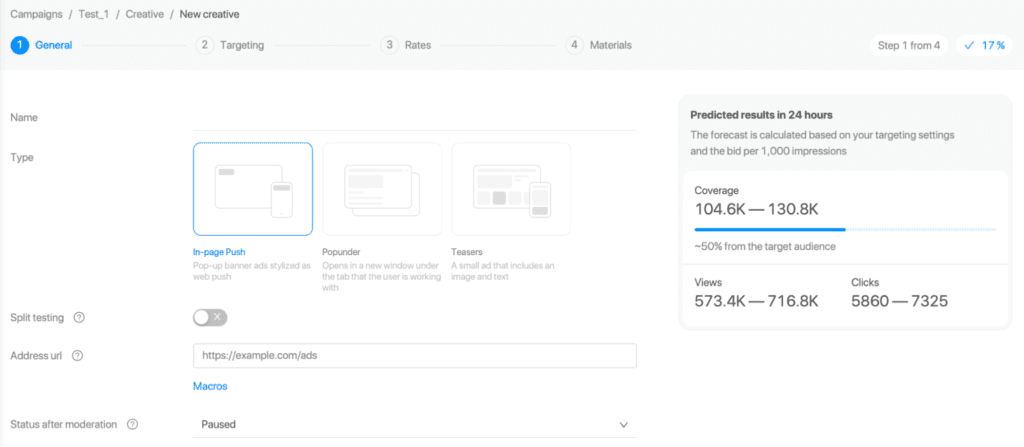
For in-page push and teasers, you can set the maximum ad frequency per user per minute, hour, and day.
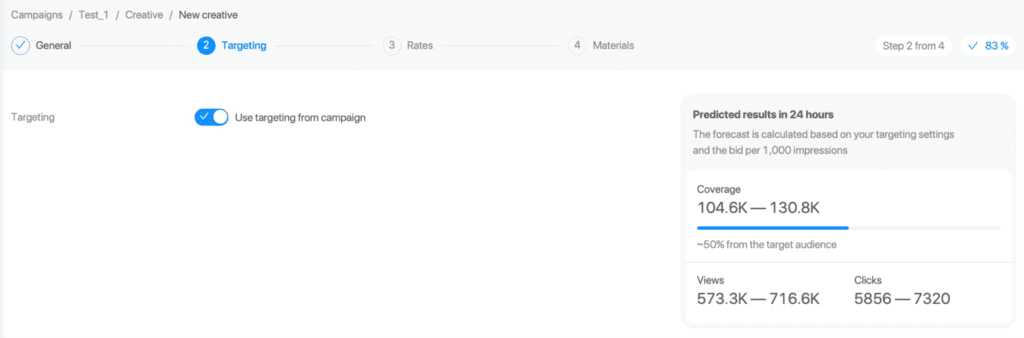
1. Targeting setup, which is done with a single button.
2. The “Rates” stage is for defining terms and setting prices on top of the basics, specifying the bid, and determining the traffic volumes.
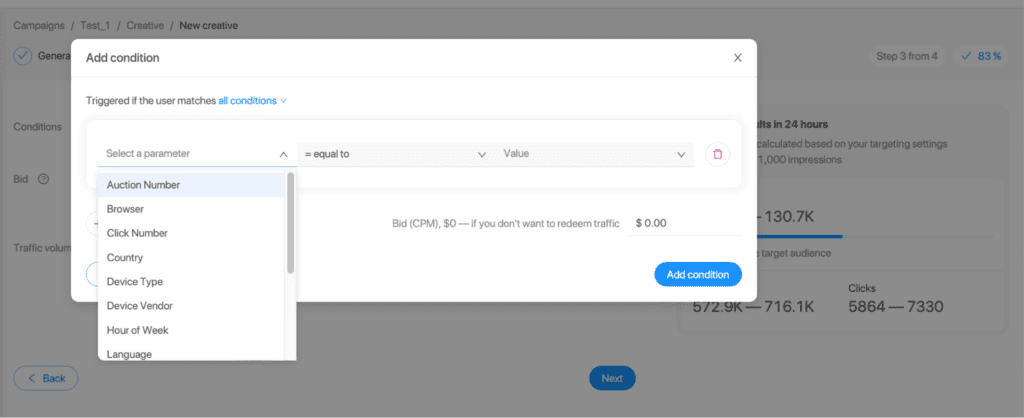
3. The “Materials” stage is for selecting the creative template within the In-Page Push format, writing the text, and creating other visual settings.
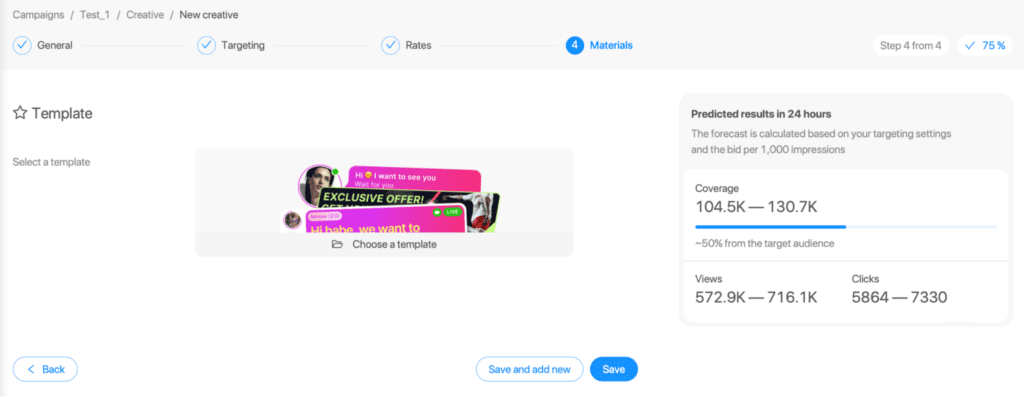
There is a convenient filtering system and the ability to create presets for searching creatives.

On the “Balance” tab, you can top up your account. Click “Top Up,” choose your preferred method, and that’s it — the funds will be added to your account.
The “Transactions” tab contains information about the overall balance, and the balances of the webmaster, advertiser, and partner. There are convenient filters for detailing the data.

“Reports” will show the effectiveness of your activities. You can customize them by grouping and metric.

The “Referral program” tab contains data about the users you have referred and how much income they have generated for you.
There is also an additional block of tabs with statistical data:
- Competitor bids
- Traffic volume by geo
- Minimum prices
- Top advertisers in the network
Overview of the Publisher’s Account
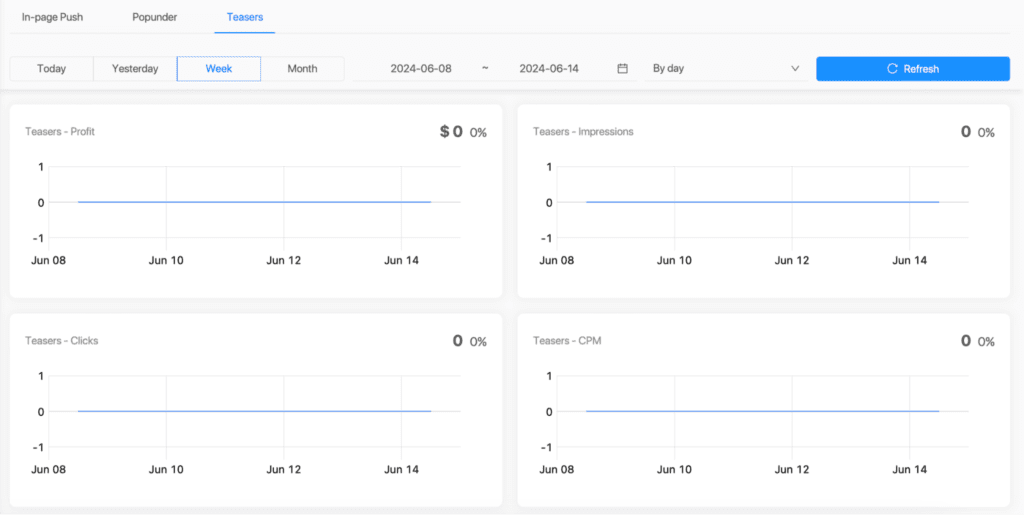
For publishers, there is a separate dashboard provided for work. The “Publisher’s Account” tab shows earnings, not expenses.

The metrics are the same as those for advertisers:
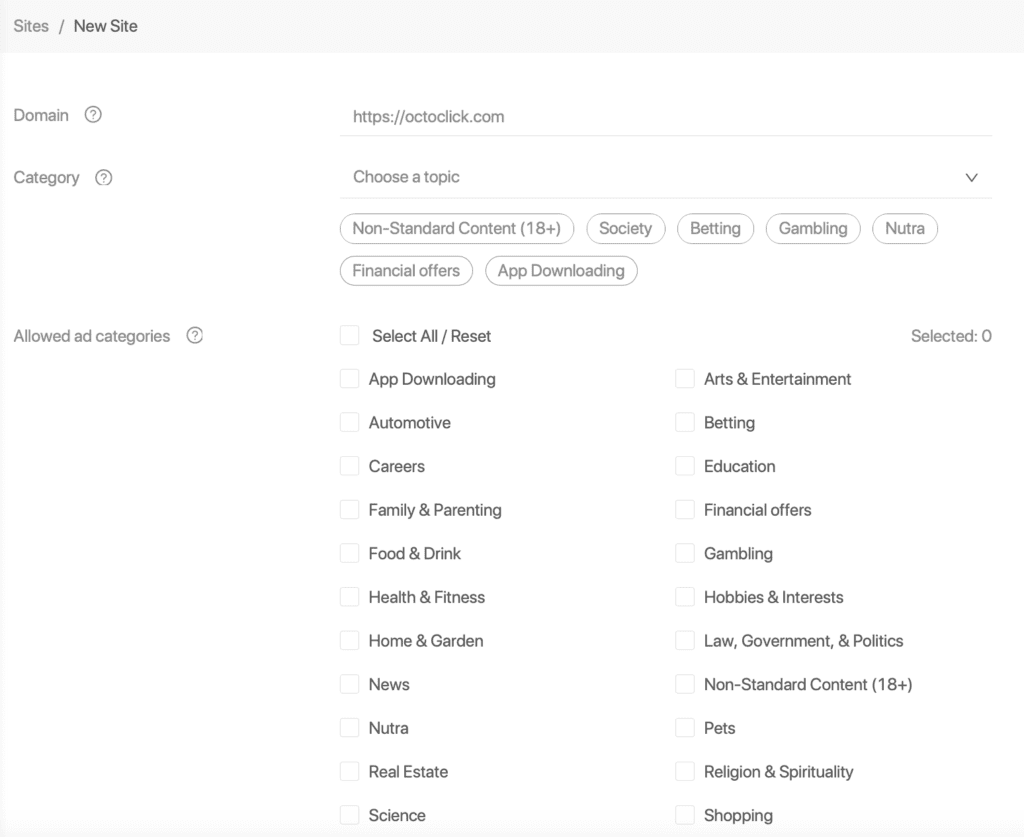
The “Sites” tab is used to add pages for monetization. It’s straightforward: you fill in the site’s information, and it appears in the list. You also need to provide site statistics to your manager.
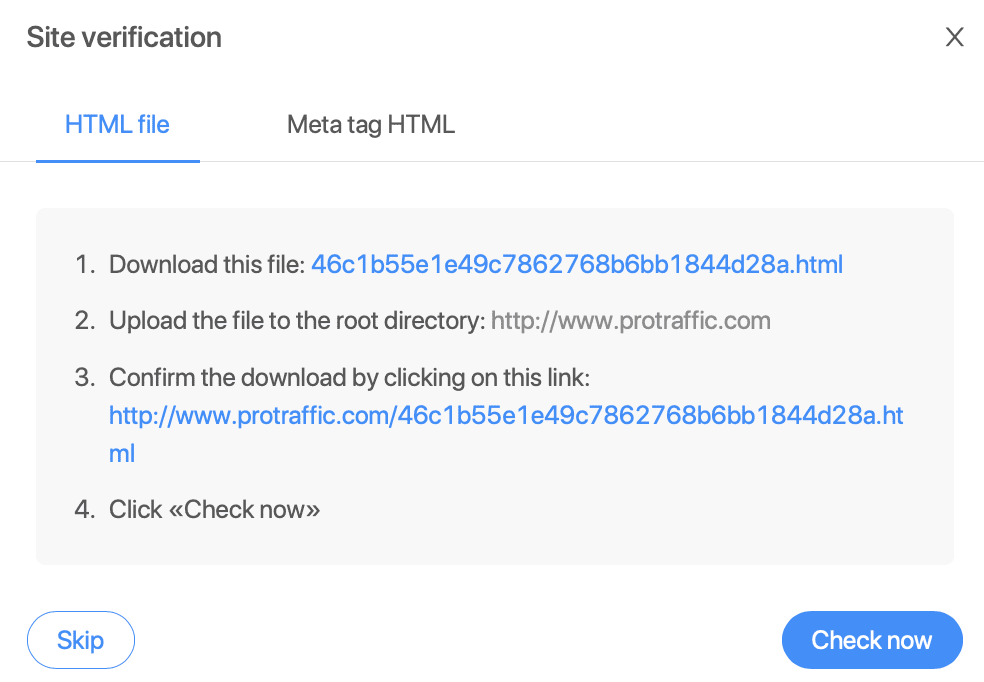
After that, the site will undergo verification.
The next step is to create an ad zone for the site. This is done in the “Zones” tab in four steps:
1. Сhoosing a name, zone type, allowed ad endpoints, and permission for third-party ad systems.

2. Setting up “Timing” controls the display of the first ad, intervals between displays, and their frequency. The final metric can be limited.

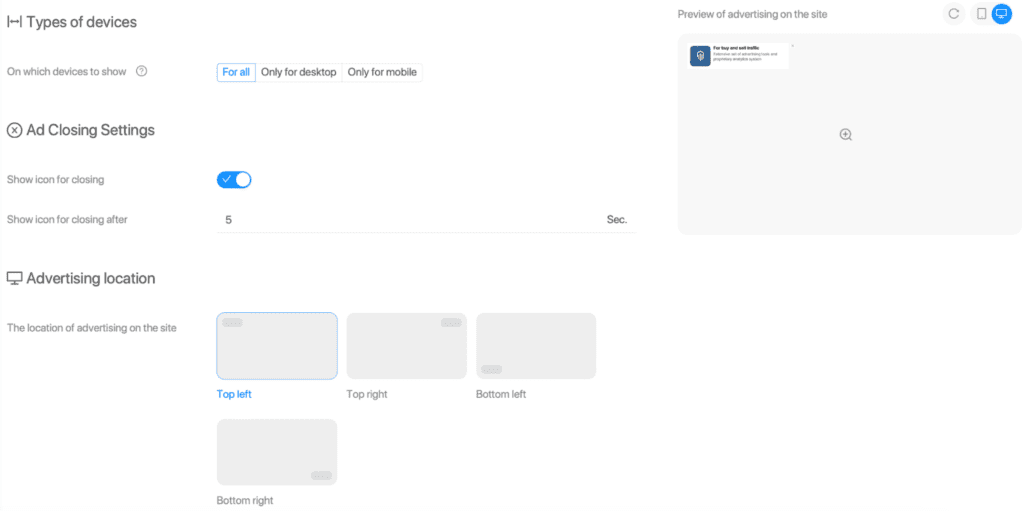
3. “Display” helps configure the devices where ads will be shown, the option to close ads, their placement, and animation for appearance.
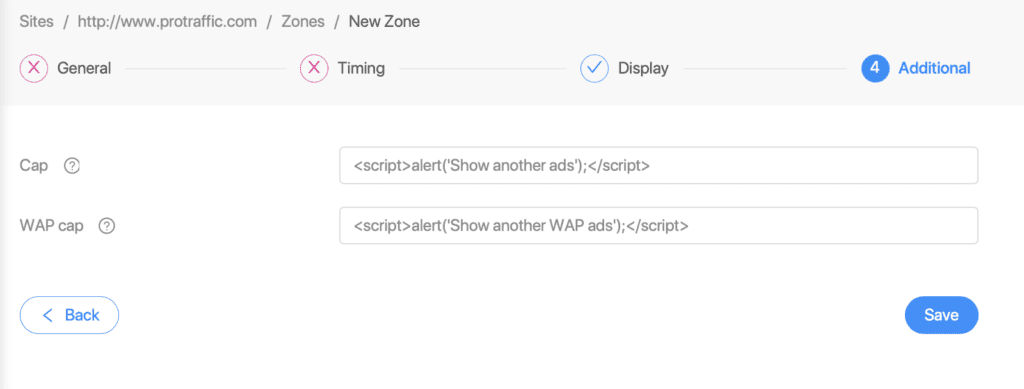
4. “Additional” is used to set fallbacks for desktops and mobile devices. This is necessary to redirect users in case ads are not available in the network.
The “Balance,” “Reports,” and “Referral program” tabs are exactly the same as those for advertisers.
To stay updated, subscribe to their social media:
Also, there are chats for advertisers and publishers.
Also, read our reviews of:

Ksenia has extensive hands-on experience in affiliate marketing, having worked as a media buyer and affiliate for several years across multiple verticals. Throughout her career, she managed traffic from a wide range of sources, tested funnels, and collaborated directly with advertisers and networks.
For the past six years, she has also been writing in-depth articles, reviews, and analytical guides about affiliate marketing. Her work has appeared on well-known industry blogs and platforms, where she covers topics such as traffic sources, compliance, creatives, tracking, and campaign optimization.
Today, Ksenia combines practical experience with editorial expertise, contributing as a guest expert to various affiliate marketing projects and helping educate both beginners and experienced affiliates.

Ratmir started his copywriting career back in 2016. He is now editor-in-chief with an MA with Honors in Linguistics.
His primary expertise is in affiliate marketing, EdTech, education, IT, and sports.
Ratmir specializes in content marketing, content management, proofreading, and translation.