
If you want to drive traffic through apps in stores, you need App Store Optimization. We talked with an expert in promotion in app stores — Michael, CEO of BlueAccs.com, to write this ASO affiliate guide for App Store and Google Play. We will explain what ASO is, how to bring an app to the top, and how to successfully promote in restricted niches (gray verticals) so that stores do not ban you.
- What Is ASO
- How to Bring an App to the Top
- App Metadata Optimization
- Engaging Visuals
- Where Moderation Process Is Faster
- How App Promotion Works in the App Store
- The Role of AI in ASO
- Incentivized People vs Bots: Which Traffic Works Better
- How to Successfully Promote Restricted Niches
- Tips: How to Avoid App Bans in Stores
- How to Choose Keywords for Your Campaign
- App Rental: Easier Way for Affiliates
- Conclusion
- FAQ
What Is ASO
ASO is the promotion of apps in the App Store and Google Play. It conveys optimization of the app page — working with the title, description, keywords, icon, and other elements. The goal of ASO affiliate marketing is to bring the app to top positions in search results and increase the number of downloads.
How to Bring an App to the Top
You have to make sure that algorithms see the app, and users find it and want to download it. To do this, you need:
App Metadata Optimization
This is the foundation for promotion in the App Store and Google Play. Metadata includes the title, subtitle, description, keywords, and tags. All these elements should contain the main keyword by which users may search for the app. Keywords need to appear in the first lines, algorithms analyze them when ranking in search. For ASO keyword research, you can use ASOMobile and ASODesk.
The App Store keywords field must be filled in — these are hidden keywords that directly affect visibility.
In Google Play ASO, all attention is focused on the description, which works like SEO: the better the wording is optimized, the higher the chance of reaching the top for the required queries.
Metadata with properly implemented keywords helps make an app visible to the target audience, even if it has just appeared in the store.
Engaging Visuals
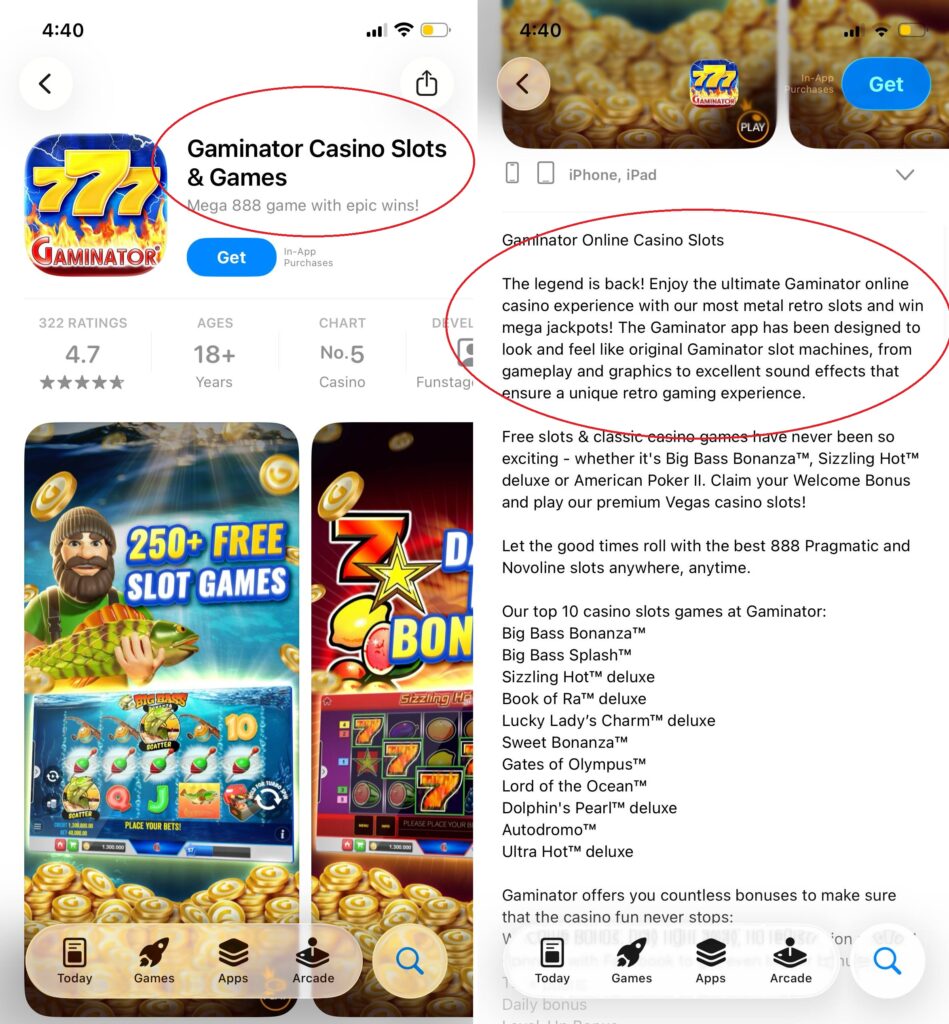
In App Store, the main focus should be on screenshots — they have the strongest impact on conversion. Video is desirable, but not mandatory. The optimal option is 1 video and 2–3 vertical screenshots.
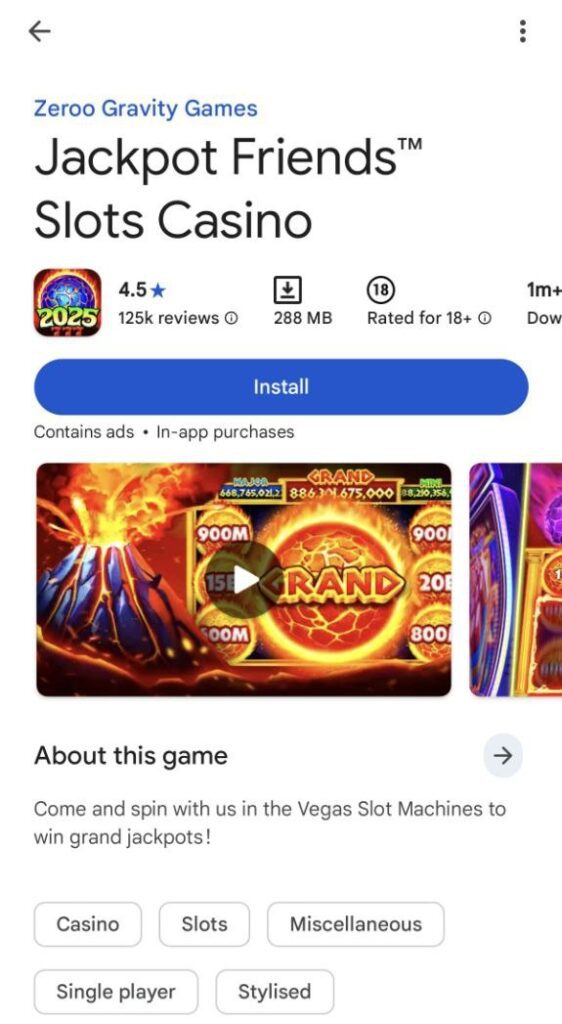
In Google Play, greater emphasis is placed on the app icon, and video is used less often.
Paid traffic. Paid advertising (on social networks, Google Ads, Apple Search Ads, with bloggers) that attracts real users. The task is to set up targeting for the right audience, drive them to the app page, and stimulate installs. You need to test creatives and channels to engage users and show algorithms that the app is in demand.
When promoting an app in App Store, advertising in Apple Search Ads is usually purchased first. When the app gets its first installs, it starts ranking better.
Incentivized traffic. These are installs that you pay for to push algorithms to bring the app to the top. There are two types of incentivized traffic:
- Live incentive: you pay real people for installs, for example through exchanges or ad networks. Often they just install and open the app, sometimes they perform certain actions if this is specified in the brief.
- Bot incentive: installs are performed by bots. This is cheaper, but comes with higher risks: stores may detect this and block the app or downgrade it in rankings.
The success of promotion depends not only on proper ASO, but also on product quality and access to exclusive offers.
The App Store and Google Play index better and reject updates less often from trusted accounts with a good history — without bans, complaints, or policy violations.
Apps from developers with a “clean” reputation receive priority in rankings, especially in competitive niches.
Reputation affects the speed of publishing and updates, which is important when doing frequent ASO iterations.
If an account is new, has an ambiguous history, or suspicious activity, promotion through ASO will be more difficult and risky.
Where Moderation Process Is Faster
Google Play
App moderation is automatic. It can take 15 minutes or several days. Indexation in the store lasts from 2 days to 2 weeks.
App Store
Moderation is hybrid here: the initial review of the app is handled by automated systems that filter out obvious violations and technical issues. In controversial cases, a live reviewer is involved who makes the final decision. The App Store review process usually takes from 12 hours to 2 days, but when updating an already published app or for accounts with a good reputation, moderation can take as little as 30 minutes.
Indexation in the store happens quickly, however positions for specific keywords in certain GEOs may appear with a delay — this is related to local demand specifics and the speed of search result updates.
How App Promotion Works in the App Store
Apple revealed how app promotion works. It lists various mechanisms by which the App Store selects apps when a user searches:
- Search suggestions — tags above search results;
- Search hints — autocomplete suggestions while typing;
- Exact match — exact match with the app title;
- Broad match — display for relevant queries;
- Natural language search — AI searches by query meaning;
- Translation in search — display in other languages;
- CPP keywords — keywords for custom pages;
- In-App Events — app events in search results;
- Similar apps — the “Similar” block.
All these mechanisms operate within the search algorithm, and each of them affects which apps you see in search results.
How personalization and recommendations work in the App Store:
- Showcases and banners. Graphic blocks on the App Store homepage — manually curated by the Apple team for specific regions or events. They are not shown to everyone in the same way.
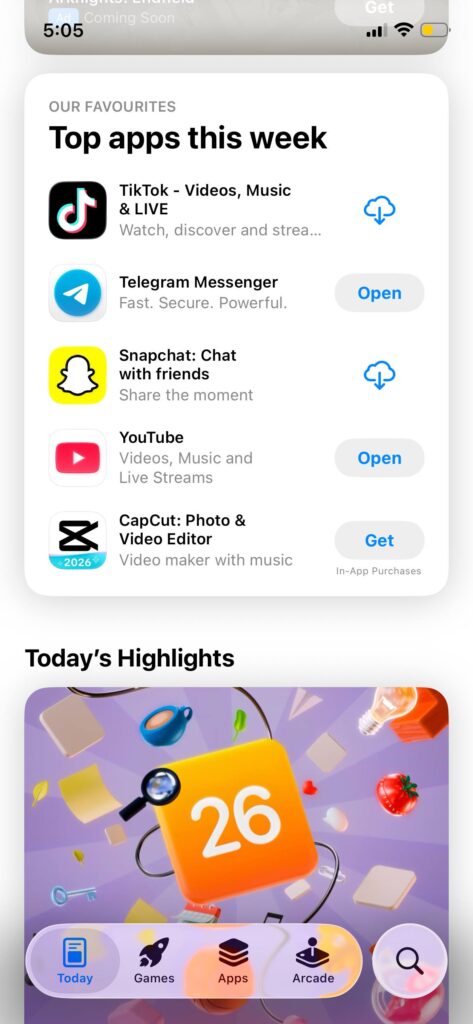
- Editor’s picks. Special app collections curated by editors (for example, “Best Free Games” or “Top Paid Games”). They are selected manually and localized by country.
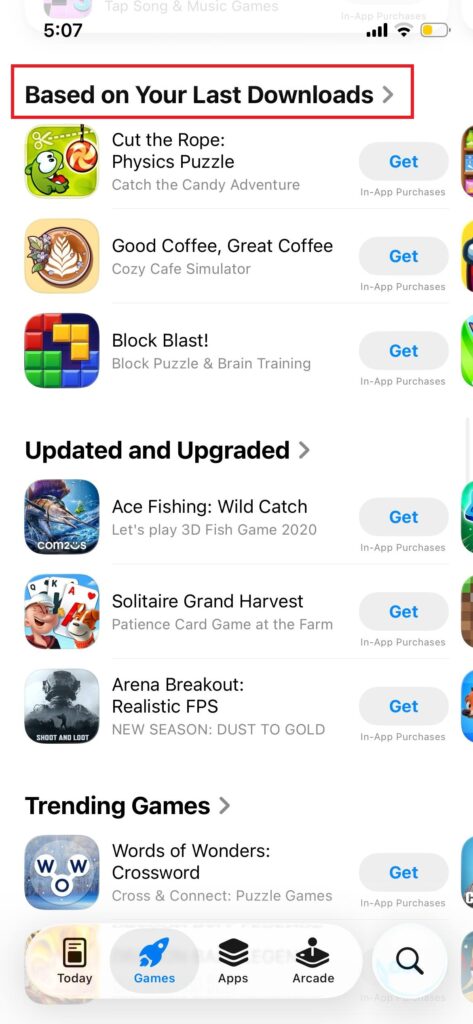
- Behavior-based recommendations. The algorithm selects apps based on the user’s past downloads, installed apps, interest categories, and even usage time.
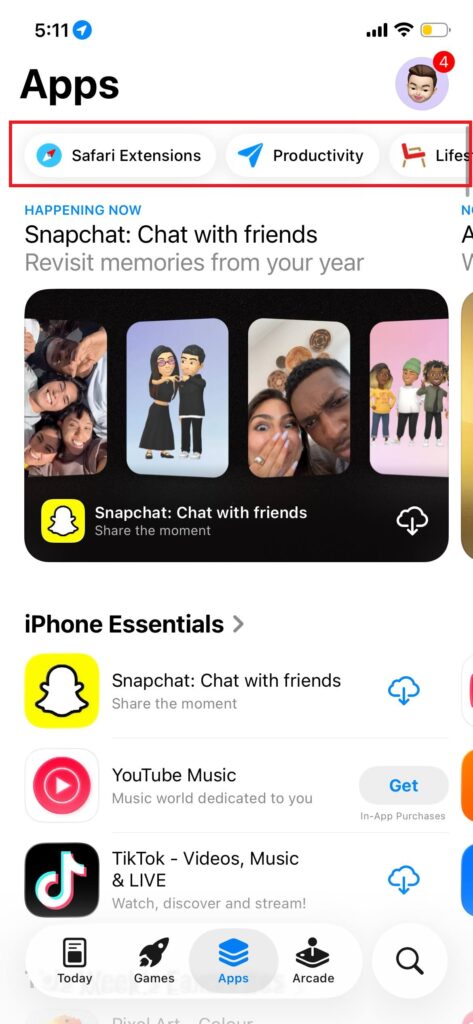
- Thematic tags. The App Store uses tags (for example, “education,” “sports,” “travel”) to categorize apps and display them in relevant thematic sections.
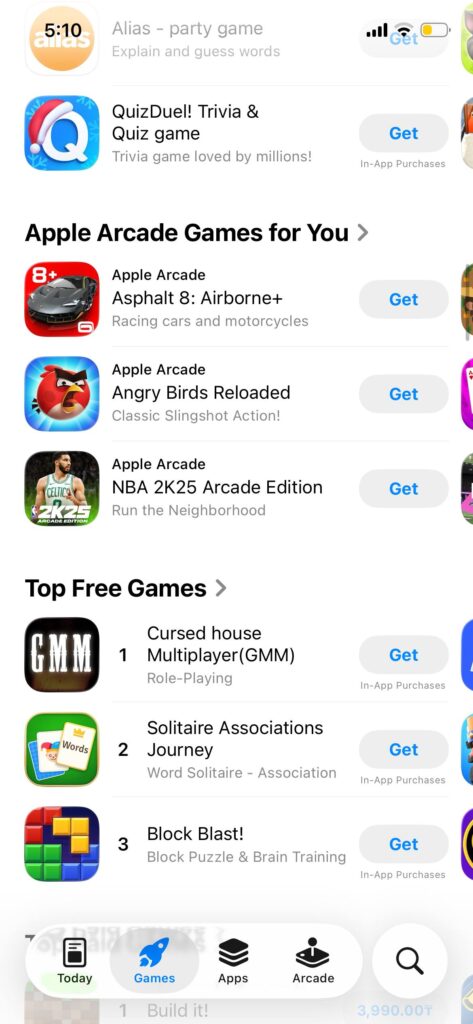
- Promotion in Apple Games. A separate focus on games — Apple may feature games in special collections, banners, recommend them in Apple Arcade, or in the Games section. This also provides additional traffic.
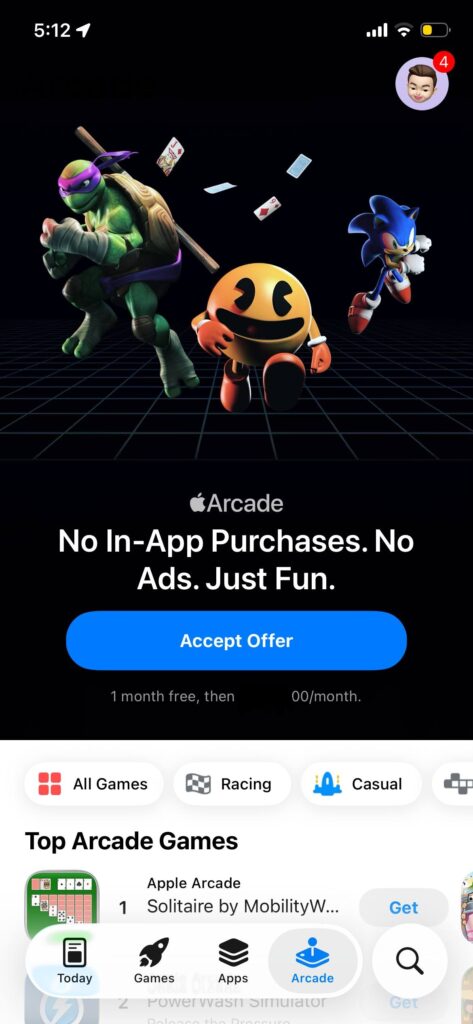
Personalization and recommendation elements do not directly depend on keywords in the app title or description. However, they largely determine whether an app appears in collections, showcases, or recommendations. This is important for GEOs where users are more likely to scroll through apps in the store rather than enter search queries. In such cases, these mechanisms strongly affect visibility and installs.
The Role of AI in ASO
With the help of AI, optimizers write metadata to speed up the app upload process. AI is also used to develop the apps themselves and the visuals.
Google Play responds okay to visuals and metadata generated using AI. But reviews written by AI perform poorly.
In the App Store ASO, metadata can also be generated using AI. But visuals created with AI may not pass moderation. Therefore, you’ll need a designer. Reviews written by AI also do not pass moderation in the store.
Incentivized People vs Bots: Which Traffic Works Better
Incentivized people — as mentioned above, these are installs from real people. Such traffic looks natural, you can ask for reviews and ratings, it is suitable for retention and sometimes brings real users. But it is expensive and limited in volume and GEOs.
Bots — these are automated installs. Cheap, large-scale, available in any GEO. But often low quality, and there is a risk of sanctions from platforms for manipulation.
In the App Store, it’s better to drive bot traffic. When used correctly, it works well and is inexpensive. Incentivized traffic is also possible, but it costs more. In Google Play, incentivized traffic performs better. Yes, it is more expensive, but the profit is higher.
How to Successfully Promote Restricted Niches
These recommendations will help pass moderation and bring an app to the top in case you work in gray verticals:
- Analyze competitors. Before promoting an app in a restricted (gray) niche, you need to understand in which GEOs it is easier to pass moderation and get results. So you need to analyze how competitors act and in which countries control is weaker or competition is lower.
- Work with semantics. In restricted niches, keyword selection (semantics) is still important, though not as critical. The main thing is that algorithms find the required key queries. It is not necessary to write beautifully — make the text “passable” and masked, and does not raise suspicion among moderators.
- Work with iterations. Iterations are a free way to improve app visibility by changing descriptions and metadata. This is relevant if there is no budget. However, with each new moderation, the risks of rejection increase. If the store allows frequent updates, this is a big plus.
- Monitor reviews. Reviews are an important element of trust. Users read them before installing and look at the rating. Up to 80% pay attention to the rating, and up to 70% read at least a couple of reviews. In addition, Google may use keywords from reviews to promote the app in search.
Also, ASO is widely used in promoting gambling and betting offers, which we have covered in our iGaming marketing guide.
Tips: How to Avoid App Bans in Stores
Stores monitor traffic behavior and quickly ban apps for suspicious activity, sharp spikes in installs, uniform traffic sources, and so on. Keep in mind this:
- Do not drive large volumes of traffic. Moderators quickly notice sharp traffic spikes, check traffic sources and user behavior, and ban the app.
- Drive traffic from different channels. Different traffic sources create the effect of “organic interest.” Uniform traffic is quickly detected by moderators.
- Mix paid traffic. Stores also distinguish between traffic types. If all traffic is paid and low quality, the risk of a ban is also high.
How to Choose Keywords for Your Campaign
Use the following tools to properly choose keywords:
- Analyze competitors. Look at how competitive the query is. Remember that the top 10 may include large companies that are difficult to outrank.
- Apple Ads. A useful tool, but the popularity index may be overstated.
- ASO services. They provide approximate popularity data, but there are no exact figures (except for RuStore).
- Tools like Google Trends and Keyword Planner. Useful for general understanding, but you should not confuse SEO with ASO, as they work differently.
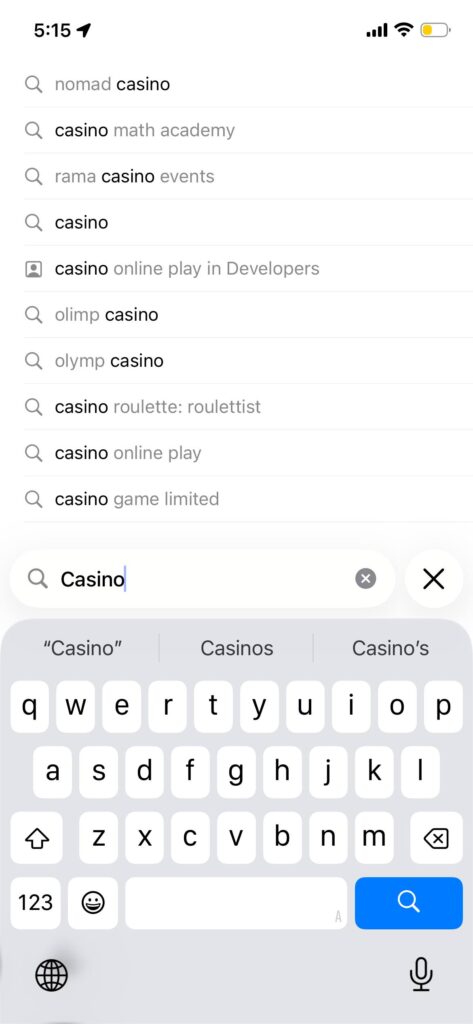
- Search suggestions. How often do you type a query in full versus using suggestions?
App Rental: Easier Way for Affiliates
In some gray and restricted verticals, there’s a service market where vendors don’t just develop apps — they publish them, maintain them, and push them with ASO, then rent access to affiliates who want to run traffic into a store-listed app. You’ll see this described as app rental, app leasing, or sometimes ASO traffic when the vendor bundles maintenance and distribution into one package.
Most deals come in three basic formats. Some vendors charge a flat weekly or monthly fee, basically selling you a “seat” on a specific app or a bundle. Others use volume-based pricing, often in CPI-style tiers. Less commonly, you’ll see rev-share or hybrid terms, where the vendor wants a slice of downstream revenue in exchange for providing the app and the operational layer.
What you actually “get” depends on the vendor, but the core is usually the same: a ready-to-run Android/iOS app (or PWA) with an existing listing and some history, plus a way to route users into your funnel via deep links or an in-app flow. Reporting can range from clean attribution access to very basic vendor-side numbers — and that gap matters because it affects whether you can optimize properly.
This model exists because it solves real operational pain. Vendors who already have accounts, workflows, creatives, and an update cadence can keep apps alive longer than a one-off affiliate test app. And in some setups, a store-listed app can convert better than a random domain, especially with colder paid traffic.
The downside is that you don’t own the asset, so you inherit the vendor’s risk. If they lose a developer account or pull the app, your funnel can disappear overnight. If the app is shared across multiple buyers, someone else’s traffic quality can trash ratings, retention signals, and store visibility — and you end up paying for the fallout. And if you don’t have proper attribution access, you’re forced to trust vendor reporting, which makes optimization guesswork.
Before you send serious volume, treat app rental like any other supply partner and get the operational terms straight. At minimum, clarify:
- whether the app is exclusive or shared,
- what tracking access you actually receive,
- what traffic sources are allowed and what’s off-limits,
- how updates and emergency fixes are handled,
- what the exit plan is if the app gets removed.
If you’re using app rental as a shortcut, the right mindset is that you’re not “buying an app,” you’re buying operational stability. If the vendor can’t be transparent about ownership, tracking, and risk handling, it’s not a shortcut — it’s a liability.
Conclusion
In our ASO affiliate guide, we have shown that it is a full-fledged strategy for bringing a product to the top of app stores. In “gray” verticals, the rules of app promotion are the same, but you need to proceed more carefully: it is important to think through semantics, mix traffic, and create high-quality visuals in order to pass moderation and avoid getting banned.
Do not to try to deceive store algorithms, but to work with them competently, taking into account the specifics of each one. Then, even in complex verticals, you can achieve a stable flow of installs.
FAQ
ASO (App Store Optimization) is the process of improving an app’s store listing (title, subtitle, keywords/description, visuals, ratings, etc.) to increase visibility in search and conversion to installs in the App Store and Google Play.
In the App Store, keywords are strongly influenced by the title/subtitle and the keywords field. In Google Play, the biggest lever is the description, which works closer to SEO, plus overall listing quality and engagement signals.
It varies by store and GEO. Google Play indexing can take days to weeks, while App Store keyword positions may appear faster but still lag by GEO and query demand after updates.
The biggest drivers are usually:
Metadata relevance (keywords in the right fields)
Conversion rate (icon, screenshots, video)
Ratings and review velocity
Retention and engagement
Developer account trust/history
Start with competitor analysis and store search suggestions, then validate demand using ASO tools (like ASODesk/ASOMobile) and, if relevant, Apple Search Ads keyword insights. Prioritize keywords with clear intent and realistic competition.
No. Use the main keyword in the title/subtitle (iOS) or title/short description (Android), then distribute secondary keywords across the remaining fields naturally. Overstuffing can hurt conversion and may raise moderation flags.
Yes. Ratings influence conversion, and reviews can impact trust and sometimes keyword visibility, especially on Google Play. More importantly, consistent positive feedback supports better store performance signals.
For the App Store, screenshots often have the biggest conversion impact. For Google Play, the icon and the first screenshot(s) matter a lot, and video is optional but can help in some categories.
Start with small, consistent volumes, mix channels, and focus on real users who match the app’s positioning. The goal is stable conversion and retention signals, not sudden spikes.
Very important. Accounts with a clean history tend to face fewer issues with updates and are generally more stable in moderation. New or risky histories often mean slower progress and higher rejection risk.
Iterate when you have data (store analytics, keyword movement, conversion changes). Frequent updates can help testing, but every submission increases moderation exposure—so avoid pointless changes.
Use careful wording, avoid high-risk claims in metadata/visuals, study competitors in your GEOs, and test changes gradually. Treat moderation as part of the strategy and plan for iterations.
Typical triggers include policy-violating claims, misleading creatives, prohibited content, suspicious install patterns, low-quality traffic signals, and repeated metadata changes that look like manipulation.
Yes. Apple Search Ads can help generate the first installs and provide keyword insights. It’s often a practical early channel for App Store visibility testing.
AI can help draft metadata and speed up iterations, but you should review it for compliance and clarity. AI-generated reviews are a bad idea, and AI visuals may increase moderation risk—use a designer if needed.
Trying to force growth with unnatural patterns (spikes, one-channel traffic, misleading creatives). Stable acquisition + strong listing conversion + clean compliance usually wins long-term.

Ksenia has extensive hands-on experience in affiliate marketing, having worked as a media buyer and affiliate for several years across multiple verticals. Throughout her career, she managed traffic from a wide range of sources, tested funnels, and collaborated directly with advertisers and networks.
For the past six years, she has also been writing in-depth articles, reviews, and analytical guides about affiliate marketing. Her work has appeared on well-known industry blogs and platforms, where she covers topics such as traffic sources, compliance, creatives, tracking, and campaign optimization.
Today, Ksenia combines practical experience with editorial expertise, contributing as a guest expert to various affiliate marketing projects and helping educate both beginners and experienced affiliates.

Ratmir started his copywriting career back in 2016. He is now editor-in-chief with an MA with Honors in Linguistics.
His primary expertise is in affiliate marketing, EdTech, education, IT, and sports.
Ratmir specializes in content marketing, content management, proofreading, and translation.