| Website | tyver.io |
| Platforms | Meta platforms (Facebook, Instagram, Messenger and Audience Network), Meta ads only |
| Database | 140+ countries and 4+ million new ads per day, refreshed every few hours |
| Filters | 20+ filters that work together on one screen |
| Verticals | Gambling, nutra, sweepstakes, dropshipping and COD, apps, ecommerce |
| Key features | Webmasters, Similar Ads, iGaming filters, ad reach data, built-in uniquifier, Team Mode, API |
| Contacts | Telegram marketing@tyver.io |
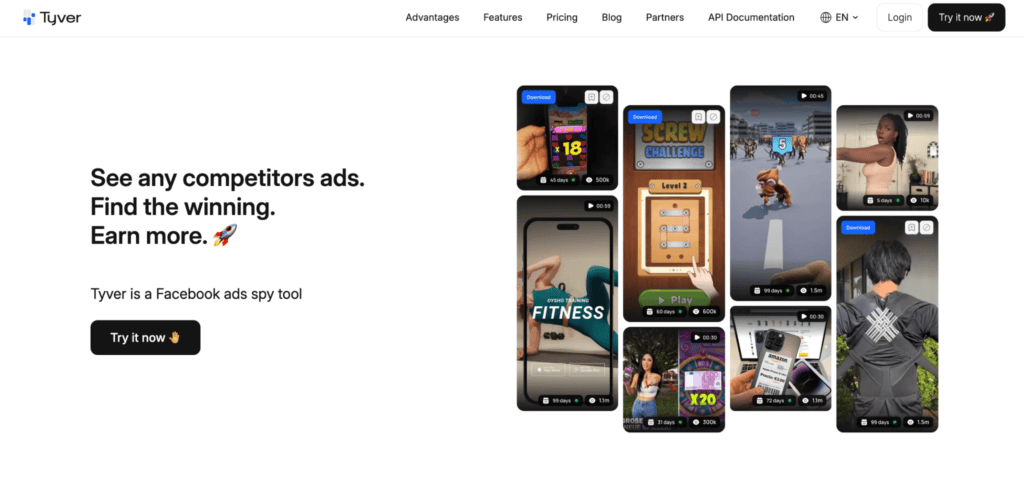
Tyver is a Meta ads spy tool for researching Facebook and Instagram advertising. It lets affiliates, media buyers and e-commerce teams search ads by keyword, domain or Fan Page, explore related creatives and organize references. Our review covers its database, filters, advertiser research tools, limitations, pricing and a special promo code.
- Who Is Tyver For?
- Database and Coverage
- Ad Search and Filters
- Audience Data: Reach, Gender and Age
- Tools for iGaming: Slots and Crash Games
- Similar Ads
- Webmasters: Follow the Advertiser, Not Just the Ad
- Creative Organization, Uniquifier and Collections
- Teamwork and Team Mode
- API Access
- AdLib Pro Chrome Extension
- Pricing
- How to Research Competitor Ads
- Pros & Cons
- When Tyver May Not Be the Right Choice
- Conclusion
- FAQ
Who Is Tyver For?
This spy-tool fits anyone who buys or plans traffic on Facebook and Instagram and wants to start from proven creatives instead of testing blind:
- Affiliates and media buyers: researching offers, creative angles and landing pages across gambling, nutra, sweepstakes, dating, and app campaigns.
- Ecommerce and dropshipping teams: finding product ads and filtering stores by ecommerce platform.
- Agencies and in-house teams: organizing references and managing access for multiple researchers.
- Beginners: studying ad formats and messaging in a target market before planning their own tests.
Database and Coverage
The database covers more than 140 countries, receives over 4 million new ads daily and refreshes every few hours. Ads blocked by Meta remain in the database for historical research.
Ad Search and Filters
Search is the core of the product. The service offers more than 20 filters that you can combine on one screen:
- Keywords: search ad text with different match types, so you can look for an exact phrase or a broader topic.
- Geography and language: country and ad language.
- Dates and activity: creation date, number of active days and last activity.
- Ad format and media: image, video and other formats.
- Calls to action and placements: the CTA button and where the ad runs.
- Lead forms: ads that use Meta lead forms.
- Fan Pages: search by Fan Page name or ID.
- Destinations: domain zone, IP or domain, app or app store link, and e-commerce platform such as Shopify.
- Hidden Fan Pages: an option to show Fan Pages that are hidden by default.
- URL macros: find ads whose links contain parameters such as a pixel ID or fbclid.
- Webmaster ID: find ads associated with a specific advertiser profile.

For example, combine a target country, local-language keywords and an app store destination to research app campaigns. For product advertising, use the e-commerce platform filter to find stores using platforms such as Shopify. Open available landing pages and Fan Pages to examine how the offer is presented beyond the creative.
Audience Data: Reach, Gender and Age
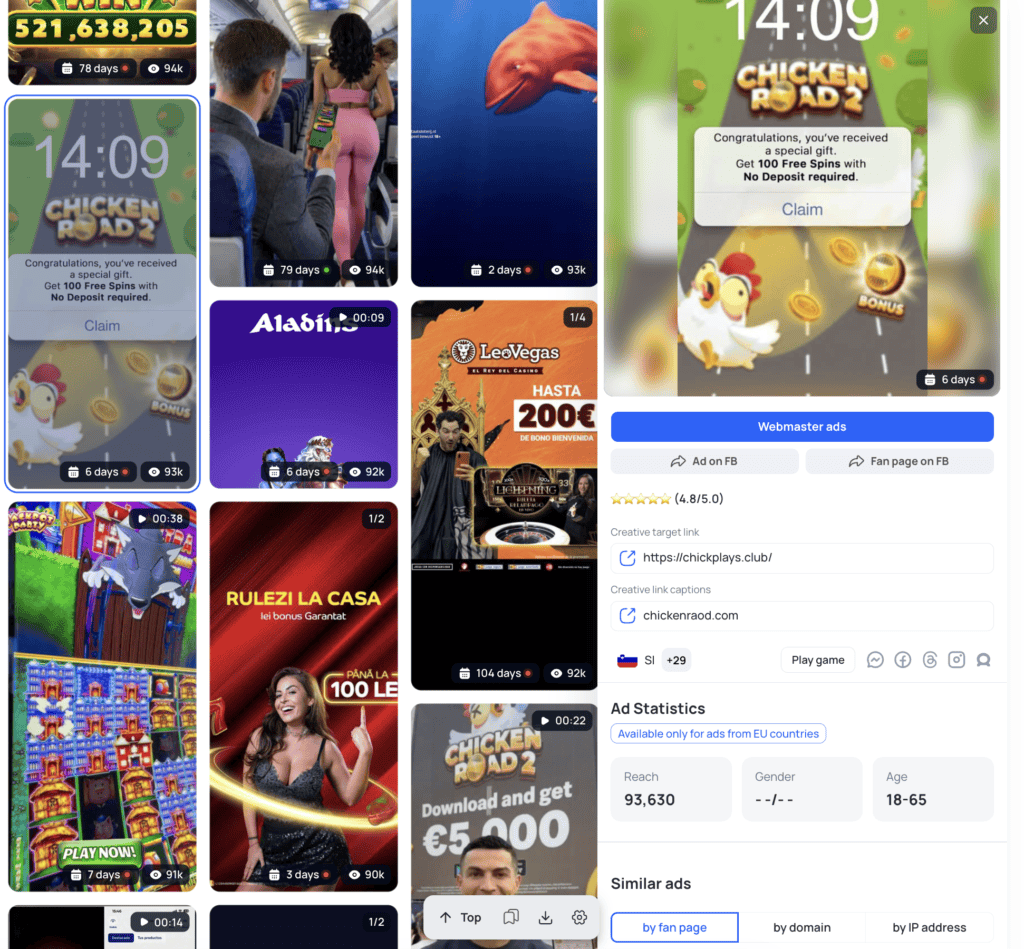
For Tier-1 and some Tier-2 GEOs, Tyver shows estimated reach, gender and age for an ad. For the EU there are extra demographic settings. These breakdowns help you understand the audience an ad reaches, but do not reveal the advertiser’s exact targeting settings.
Tools for iGaming: Slots and Crash Games
There is a dedicated set of filters for gambling creatives. You can search by game name, game provider, game type and approach, for example UGC or Life. Quick tags cover popular titles and formats such as Aviator, Chicken Road, Gates of Olympus, Sweet Bonanza, Plinko, Crash, Slot and Offline. These filters help narrow results to specific games and creative approaches.

Similar Ads
Similar Ads helps you discover related creatives through a shared domain or Fan Page. Start from one ad you like, and Tyver shows other creatives connected to the same page or destination, so you can compare variations in messaging and visuals. Use it to compare variations in messaging and visuals across related ads.
Webmasters: Follow the Advertiser, Not Just the Ad
The Webmasters section (currently in beta) groups advertising activity by Pixel, Domain and Fan Page. These identifiers are linked into one advertiser card. At the time of review the section listed more than 184,000 advertisers.
- Overview of activity: each card shows total, active, top and stopped ad counts.
- Creative previews: see a sample of the advertiser’s creatives without opening each ad.
- Top countries: the three main GEOs and the share of ads in each.
- Filters and sorting: filter by country, share, language, category, format, placements, pixel ID, Fan Page ID, domain, last activity and minimum ad counts. Sort by total, active or top ads.
Use Webmasters to explore connected advertising assets and monitor changes in activity across countries.

Creative Organization, Uniquifier and Collections
Users get access to tools for saving references and preparing media variations:
- Folders: keep saved creatives by offer, GEO, client or project.
- Shareable collections: send a set of references to a teammate or client with a link.
- Filter presets: save a set of filters and reuse it without rebuilding the search.
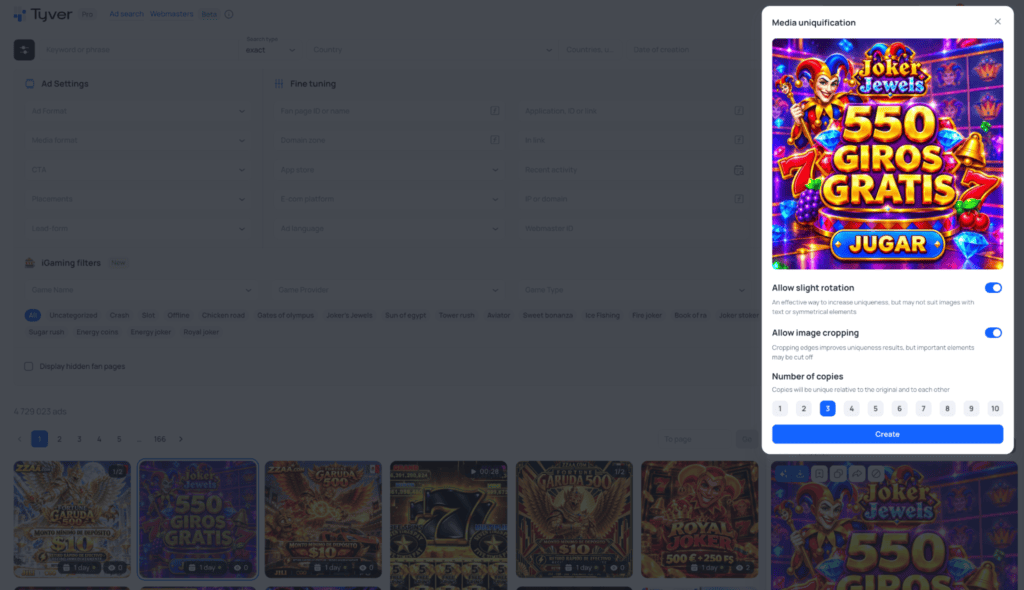
- Built-in uniquifier: create 1 to 10 slightly altered copies of a creative directly in the tool.
Teamwork and Team Mode
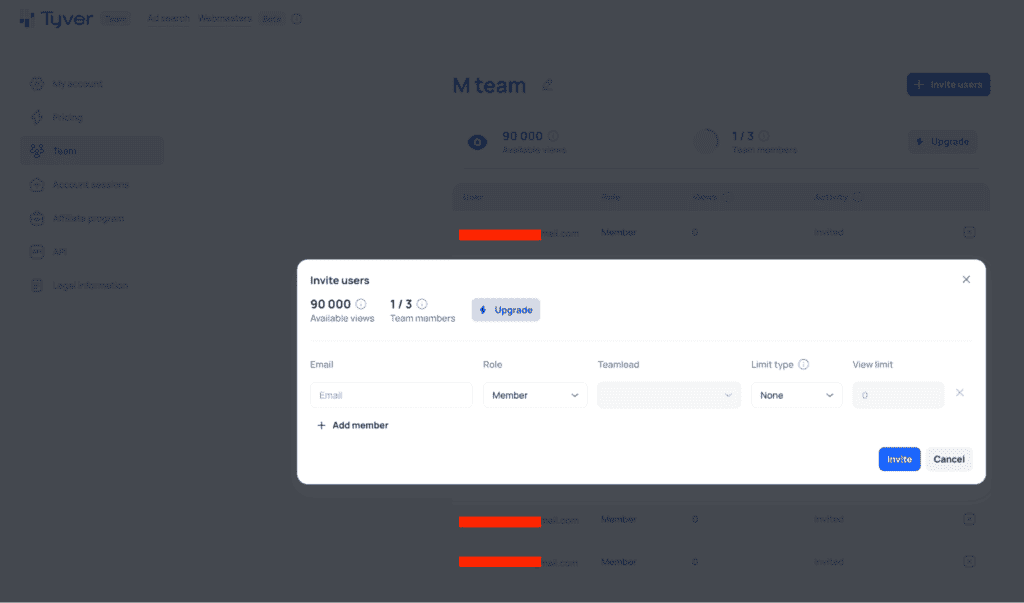
The Team plan adds Team Mode with individual access permissions and visibility restrictions, so each member sees only what they should. Roles include TeamLead, Admin and Member, and limits can be soft or strict. That makes it practical for agencies and media-buying teams where several people research simultaneously and the lead wants to control usage.
API Access
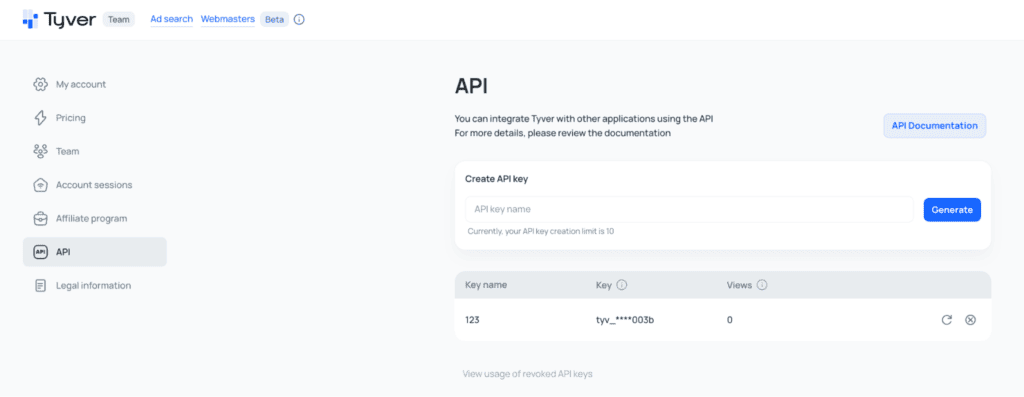
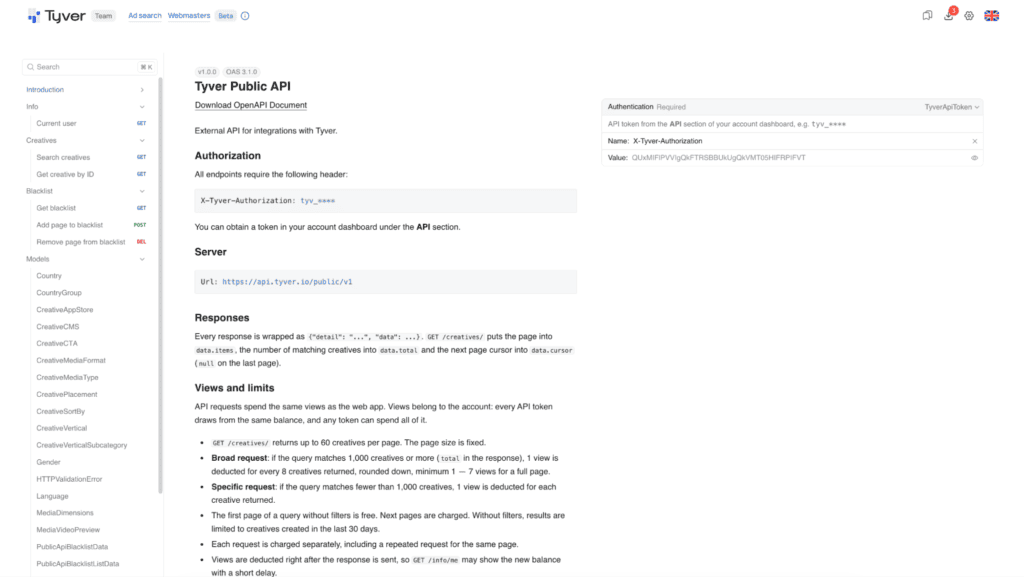
API access is included in paid plans. Teams can use it to bring Tyver data into their own systems and to automate repeated research tasks, such as regular checks of specific advertisers or keywords.
AdLib Pro Chrome Extension
The Tyver team also publishes AdLib Pro, a free Chrome extension that improves the official Meta Ad Library, also known as the Facebook Ad Library. It adds one-click media download, days active, views and decline in the feed, the full link and caption, and slightly altered copies of media. The extension provides download and research tools within the Meta Ad Library interface.
Pricing
| Plan | Monthly billing | Annual billing |
|---|---|---|
| Free | $0 | $0 |
| Pro | $79/month | $569/year |
| Team | $119/month | $857/year |
- Free: limited database access and basic ad information.
- Pro: full database access, complete ad information, favorites and API access.
- Team: collaboration features, individual permissions and configurable member limits.
Our readers can use the AFFDAYS promo code for 20% off any subscription plan.
How to Research Competitor Ads
- Choose one vertical, such as gambling, nutra or e-commerce, and one or two GEOs.
- Search by keyword in the local language, or by a competitor’s domain.
- Sort by active days to identify longer-running ads for closer review. Duration alone does not prove profitability.
- Open Similar Ads to see variations of the same idea from the same page or domain.
- Check the Webmasters card for connected assets, ad counts and geographic activity.
- Review available audience data, then open the landing page and Fan Page.
- Save the best ads into a folder grouped by angle.
- Use the uniquifier and your own edits to build new creatives, then test with a small budget.
Pros & Cons
| Pros | Cons |
|---|---|
| Large database with 140+ countries and 4+ million new ads daily | Focused on Meta ads (Facebook, Instagram and other Meta placements), so other ad platforms need additional tools |
| Covers several affiliate verticals, including dedicated Slots and Crash tools | Landing pages cannot be downloaded, so you need another way to save them |
| Finds connected ads through domains, Fan Pages and Pixels | Webmasters is still in beta |
| Audience data for Tier-1 and some Tier-2 GEOs | The number of filters means a short learning curve for new users |
| Folders, collections, presets and a built-in uniquifier | |
| Team Mode with permissions and API access in paid plans | |
| Free plan and a free Chrome extension for testing |
When Tyver May Not Be the Right Choice
If you work mainly with TikTok, native or push traffic, Tyver will not cover your sources. And if your budget is close to zero, start with the free Meta Ad Library and the AdLib Pro extension, then move to Tyver when your volume justifies it.
Conclusion
Tyver combines ad search, related-creative discovery and advertiser profiles for Facebook and Instagram research. Its iGaming filters and team permissions may be useful for buyers working across several offers or markets. Buyers who need other traffic sources or landing page downloads will need additional tools. The free plan provides a starting point for checking the interface and available results.
FAQ
Tyver is a competitor ad research tool for Facebook and Instagram, with search filters, related-ad discovery and advertiser profiles.
There is a free plan with limited database access and basic ad information. Full access requires a Pro or Team subscription.
Pro costs $79/month (569/year) and Team costs $119/month (857/year).
The database covers 140+ countries and receives more than 4 million new ads per day. It is said to cover about 92% of Facebook and Instagram ads.
Yes. Tyver includes dedicated iGaming filters and an e-commerce platform filter for researching store-based offers.
Yes. The Team plan adds Team Mode with individual permissions, visibility restrictions and configurable member limits.
Yes, API access is included in paid plans.
No. You can view available landing pages next to the creatives, but you need another tool or method to save them.

Ksenia has extensive hands-on experience in affiliate marketing, having worked as a media buyer and affiliate for several years across multiple verticals. Throughout her career, she managed traffic from a wide range of sources, tested funnels, and collaborated directly with advertisers and networks.
For the past six years, she has also been writing in-depth articles, reviews, and analytical guides about affiliate marketing. Her work has appeared on well-known industry blogs and platforms, where she covers topics such as traffic sources, compliance, creatives, tracking, and campaign optimization.
Today, Ksenia combines practical experience with editorial expertise, contributing as a guest expert to various affiliate marketing projects and helping educate both beginners and experienced affiliates.

Ratmir started his copywriting career back in 2016. He is now editor-in-chief with an MA with Honors in Linguistics.
His primary expertise is in affiliate marketing, EdTech, education, IT, and sports.
Ratmir specializes in content marketing, content management, proofreading, and translation.