
Bitly is a massive ecosystem for marketing campaigns, affiliate programs, and brand communications. With over 256 million links created monthly, it is a must-have tool for anyone planning to optimize and monetize digital traffic. Let’s learn more about the features and benefits of Bitly for your campaigns.
- Key Takeaways
- History and Overview of Bitly
- How to Use Bitly in Affiliate Marketing
- Best Bitly Features in 2026
- Link-in-Bio: Your Mini Landing Page
- Mobile and SMS links
- Digital Business Cards
- Branded Links: Short Links with Your Name
- UTM Campaigns: Tracked Campaigns with Accurate Analytics
- Leading Bitly Products to Consider
- URL Shortener: Making Long Links Short and Easy
- 2D Barcodes: Codes for Scanner and Camera Smartphone
- Pages: Fast Launch with Mobile Adaptive
- QR Code Generator: Customize Style to Scanning
- Analytics: All Dashboards in One Place
- AI Features
- Most Popular Bitly Integrations
- Bitly x Adobe Express
- Bitly x Twitch
- Bitly x Oktopost
- Bitly x Salesforce
- Bitly x Microsoft Edge and Firefox
- Bitly x Google Sheets
- Bitly x ChatGPT
- Bitly x Canva
- How Much Does Bitly Cost
- Summary
- FAQ
Key Takeaways
- Bitly is a complete platform for traffic management, analytics, and brand communications;
- It is actively used in affiliate marketing, as shortened links are easier to promote, track, and adapt to the audience;
- The service offers advanced features: branded domains, QR codes, banners, digital cards, and UTM tags;
- Integrations with popular platforms such as Twitch, Canva, Salesforce, and ChatGPT allow you to use the app directly within workflows;
- QR codes and 2D barcodes from Bitly can be customized to your brand as well as used in packaging, printing, and offline campaigns;
- The app’s analytics gives a complete picture of all channels: clicks, transitions, devices, geography, and engagement in one dashboard.
History and Overview of Bitly
Founded in 2008 in New York, Bitly became the industry standard in 2009 after its integration with Twitter. While Twitter eventually moved to its own domain, Bitly evolved into a corporate giant.
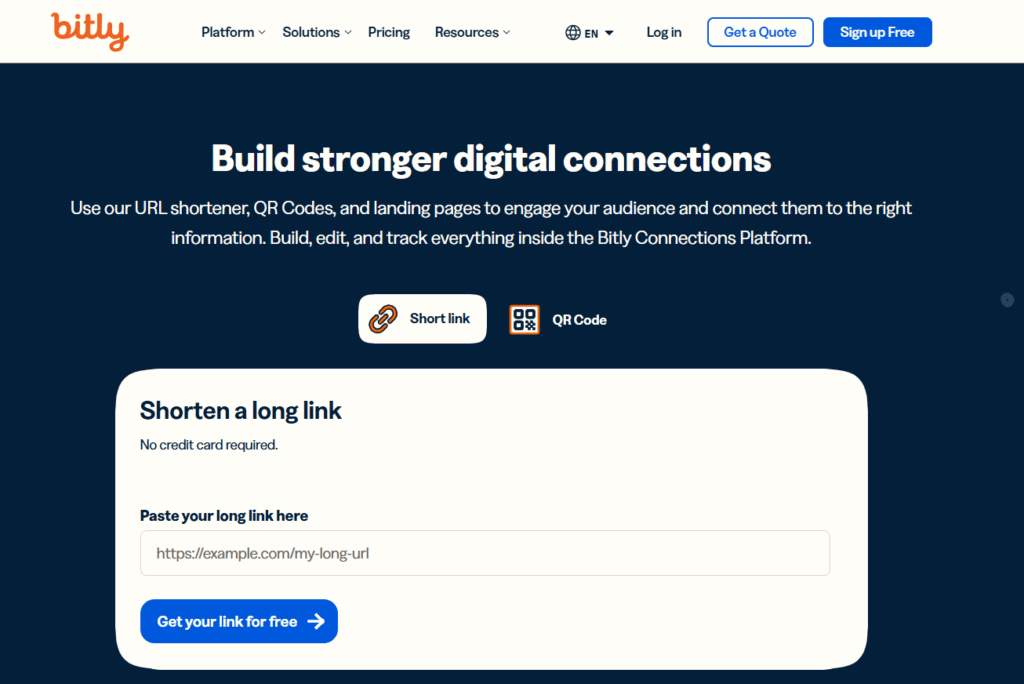
In 2017, Spectrum Equity acquired a controlling stake for $64 million, fueling the launch of Bitly Enterprise. This version introduced custom domains and advanced campaign analytics.
Today, this SaaS application requires registration to create links. The free tier now uses an intermediate ad page, part of a monetization model based on aggregated user behavior data, similar to adf.ly’s approach. The service continues to use permanent HTTP 301 redirects to ensure link stability.
How to Use Bitly in Affiliate Marketing
Affiliate marketers working with e-commerce, gambling, and adult platforms use this service to convert long tracking URLs into short, clean, and clickable links. These simplified links are easier to share and work especially well in YouTube descriptions, social media bios, and messaging apps.
However, success doesn’t come from simply posting links everywhere.
A more effective approach is to integrate Bitly links into valuable content that genuinely helps your audience. Examples include honest reviews, product comparisons, and tutorials.
It is also beginner-friendly and requires no technical skills. Just shorten your affiliate link, share it strategically, and start earning commissions.
Best Bitly Features in 2026
Let’s take a look at the main features that help affiliate marketers make money from their campaigns.
Link-in-Bio: Your Mini Landing Page
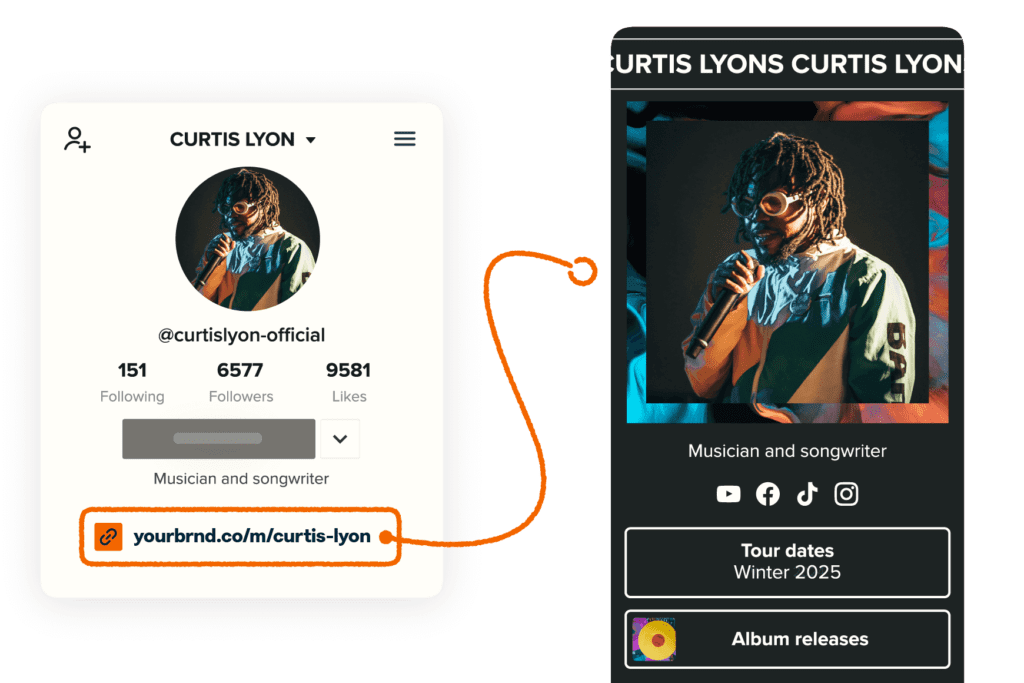
You can create a personalized landing page for your social media profiles to host multiple links in one place, and no design skills are required. With Bitly, you can:
- Gather links from Instagram, TikTok, and X;
- Direct users to specific products, sign-up forms, or offers;
- Customize layouts, colors, and fonts directly from the mobile app.
This feature is especially useful for creators, influencers, and brands that rely on a single bio link. Instead of constantly updating one URL, you can guide users to multiple destinations from a single entry point: product pages, content hubs, or lead forms.
Mobile and SMS links
Short links are especially valuable in SMS marketing, where every character counts.
Bitly enhances this channel with:
- Trust: branded domains that improve click-through rates;
- Security: links protected by Bitly’s Threat Detection Service;
- Automation: API access to generate large volumes of unique links for notifications or reminders.

These capabilities are ideal for e-commerce, fintech, and service-based businesses that send transactional or promotional messages. For example, companies can automate order updates, appointment reminders, or limited-time offers and maintain brand consistency and link safety.
Digital Business Cards
Share your contact details instantly via QR code. This removes printing costs and ensures your information is always up to date. You can also track how many people saved your contact details or interacted with your links.
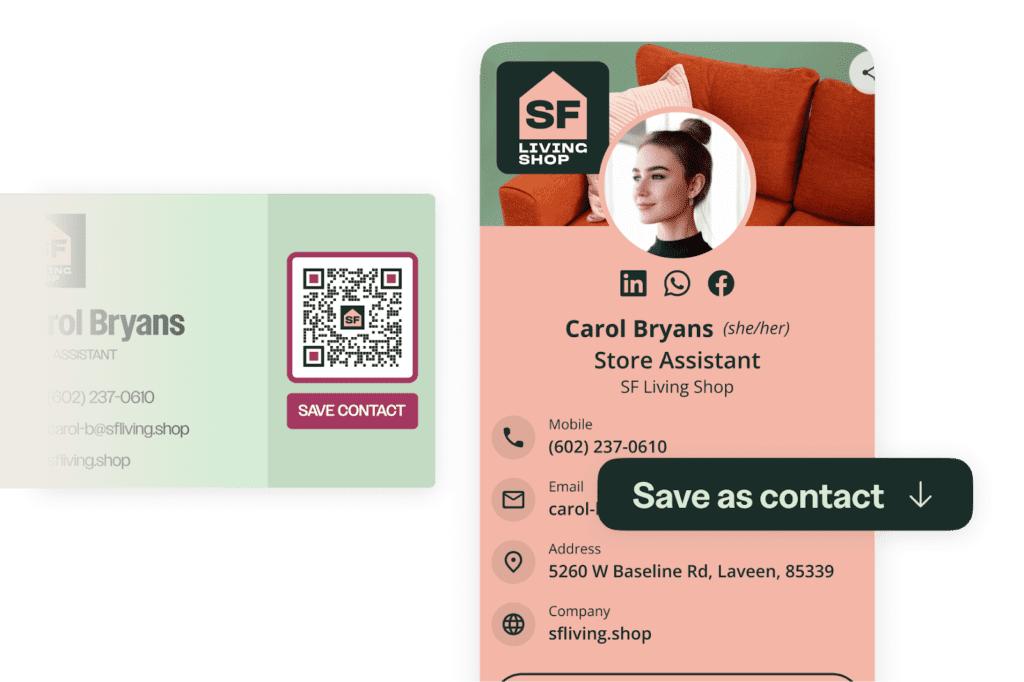
This is particularly valuable at networking events, conferences, and client meetings. Instead of handing out paper cards, professionals can instantly share dynamic contact profiles and measure engagement, making follow-ups more data-driven.
Branded Links: Short Links with Your Name
Users can replace the standard bit.ly with their own branded domain and increase clickability by 2.3 times. Bitly-branded links help audiences instantly recognize the brand, build trust, and look professional in any channel, from social networks to offline materials.
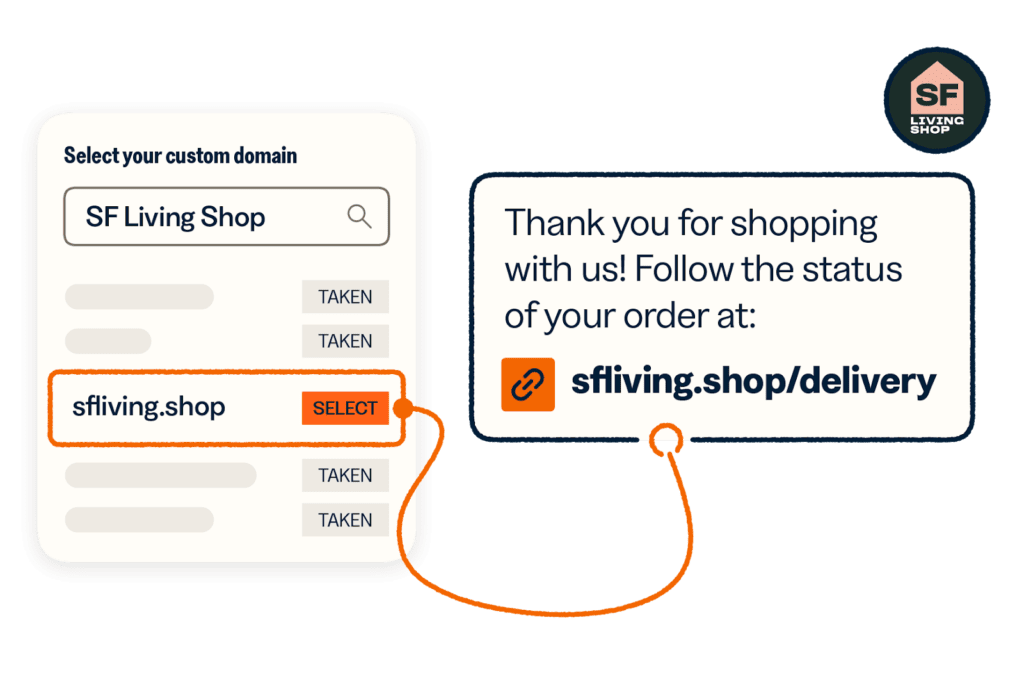
The app helps you find a custom domain that will work for the brand:
- Personalized domain recommendations from AI right inside the platform;
- More than 250 domain zones to choose from .studio for agencies or .technology for IT companies.
Branded links are most effective in marketing campaigns, email outreach, and social media posts where trust is critical. A recognizable domain helps users and strengthens brand identity across all touchpoints.
UTM Campaigns: Tracked Campaigns with Accurate Analytics
Bitly includes a built-in UTM Builder, removing the need for external tools or spreadsheets.
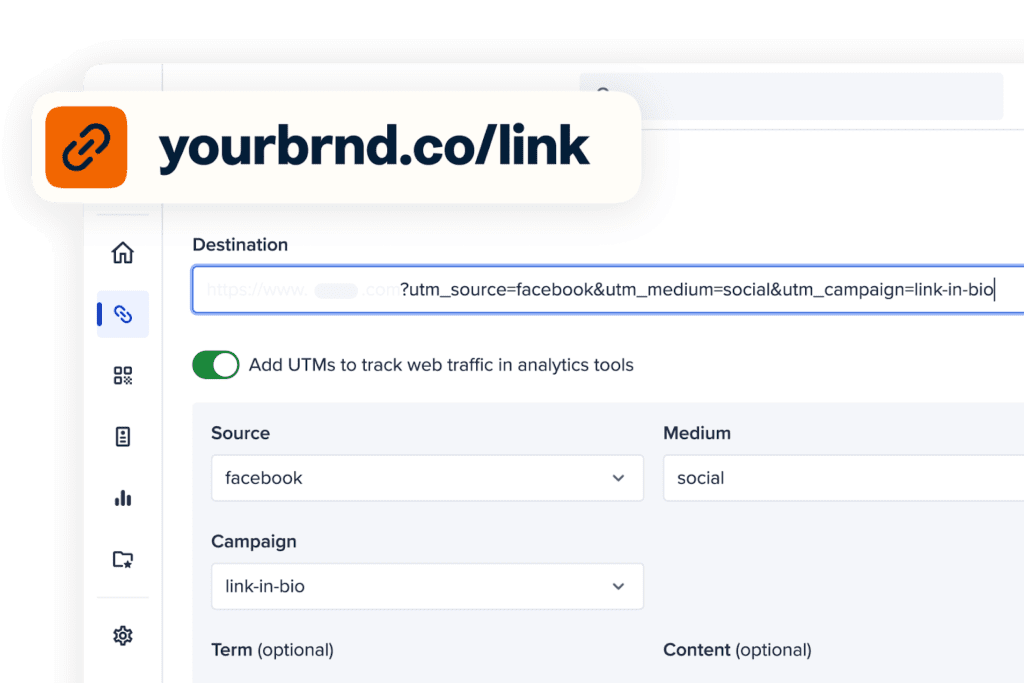
The feature allows you to upload up to 100,000 links via CSV for automatic tagging and shortening. Additionally, you can use it to track the full customer journey from their first click to final conversion.
Leading Bitly Products to Consider
Let’s take a look at the key capabilities of Bitly for affiliate marketing.
URL Shortener: Making Long Links Short and Easy
Bitly’s URL shortener turns long links into clean and shareable ones that are easier to use across social media, messages, and print.
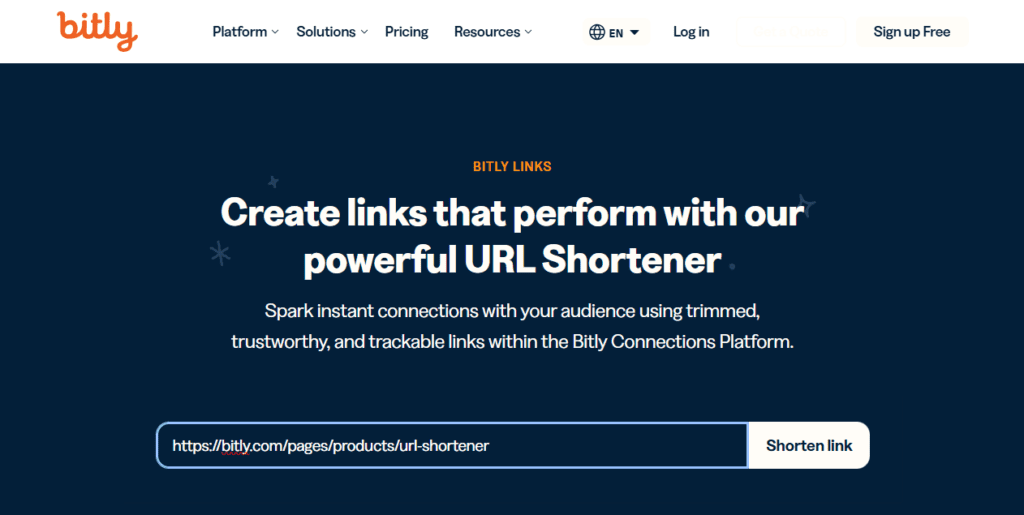
This tool redirects users reliably, supports basic free usage, and helps you track performance, improve visibility, and keep links professional across campaigns. The free plan allows you to have 5 links and 2 QR codes per month with no restrictions on their lifespan and total clicks.
2D Barcodes: Codes for Scanner and Camera Smartphone
Bitly’s 2D barcodes are an advanced evolution of traditional QR codes, designed for product packaging and labeling. They incorporate GS1 Digital Link standards, including GTIN (Global Trade Item Number), allowing them to function both as retail barcodes and interactive digital links.
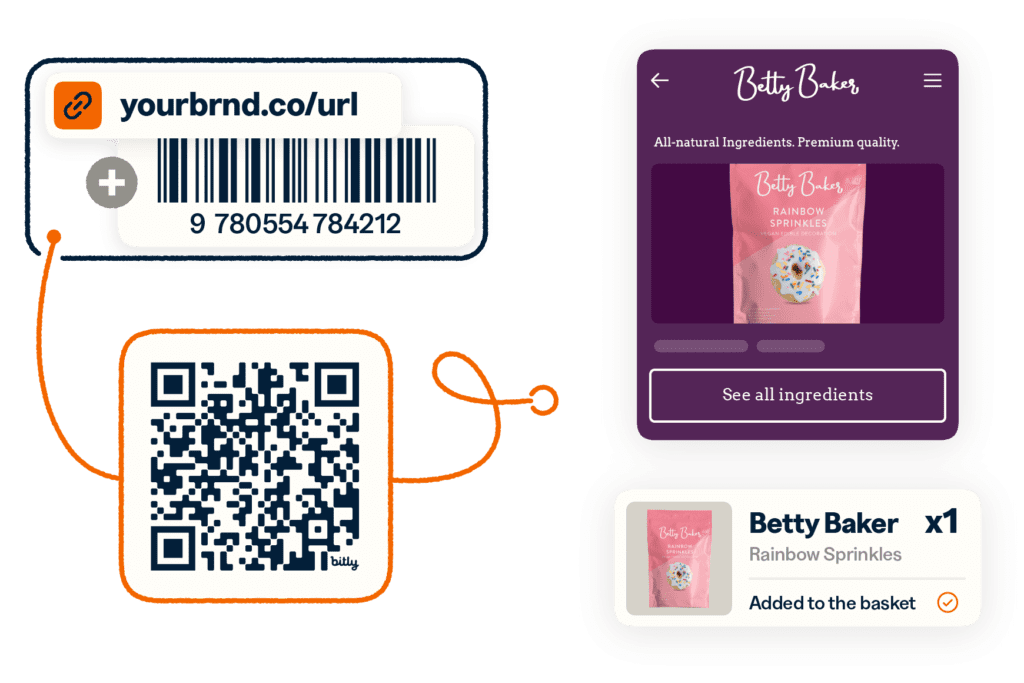
Unlike classic 1D barcodes, these codes can be scanned at checkout or by a smartphone camera.
This turns product packaging into an interactive touchpoint, enabling:
- Instant access to product details, origin, and production methods;
- Redirection to videos, reviews, related products, or loyalty programs;
- Tracking of goods across the supply chain, from production to recycling.
These barcodes are especially valuable for retail, logistics, and sustainability-focused brands.
Pages: Fast Launch with Mobile Adaptive
Bitly Pages allows users to create fully functional landing pages without coding or design expertise.
These pages are optimized for mobile and can be built quickly using simple tools:
- Choose a template or start from scratch;
- Add content blocks;
- Edit text and images;
- Publish instantly.
The platform supports dynamic elements such as videos, image carousels, buttons, and external links. Users can create link-in-bio pages, promotional event pages, digital business cards, or seasonal campaign pages.
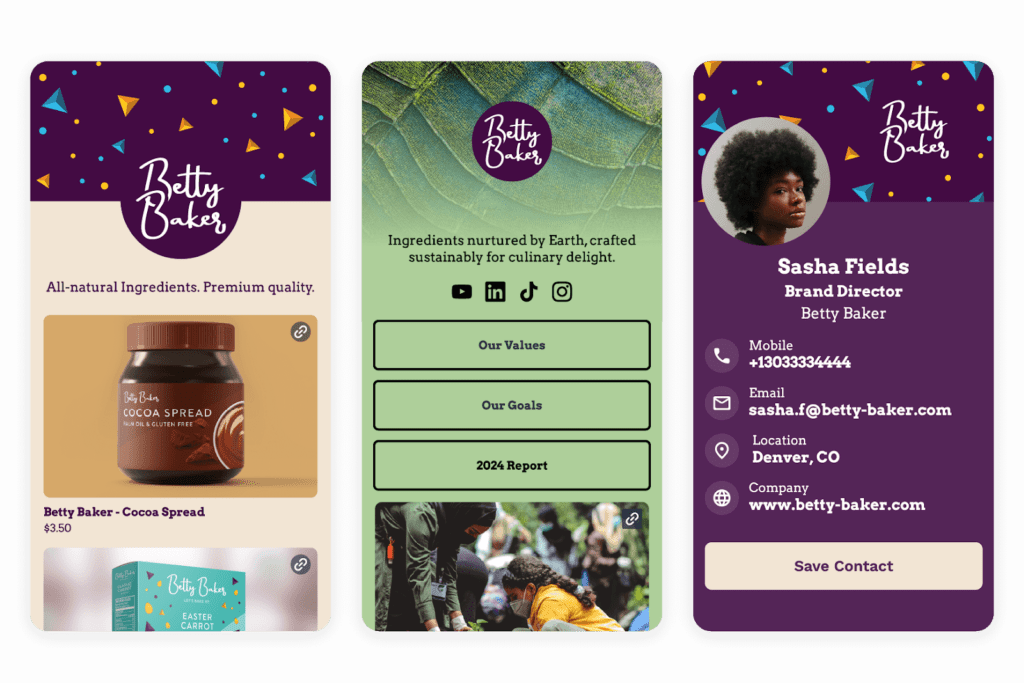
This feature is especially useful for freelancers, marketers, and small businesses that need fast deployment. It enables quick testing of offers, centralized content sharing, and better conversion flows without relying on developers.
QR Code Generator: Customize Style to Scanning
Bitly’s QR code generator creates scannable codes that instantly direct users to specific digital resources—websites, promotions, PDFs, tracking pages, or social media profiles.
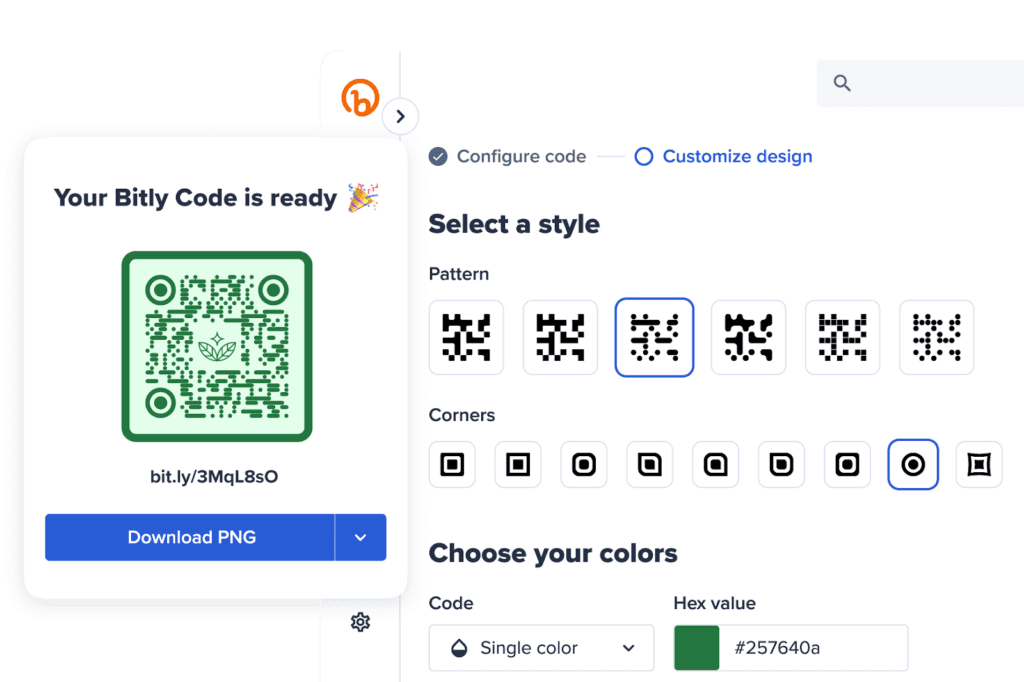
The platform includes a design editor that allows full customization:
- Choose colors and gradients;
- Adjust shapes and patterns;
- Add frames and labels;
- Insert logos or images;
- Save templates for reuse.
These QR codes can be placed on packaging, emails, posters, receipts, business cards, or even SMS campaigns. They are widely used in marketing, retail, events, and offline-to-online experiences. QR codes make it easy to connect physical touchpoints with digital actions, improving accessibility and user engagement.
Analytics: All Dashboards in One Place
The app provides a centralized analytics dashboard that tracks performance across all assets—short links, QR codes, and landing pages. Thus, users can:
- View clicks, scans, and page views in one interface;
- Filter data by date and exporting reports;
- Identify top-performing links and assets;
- Track the full customer journey across channels;
- Download visual reports and datasets.
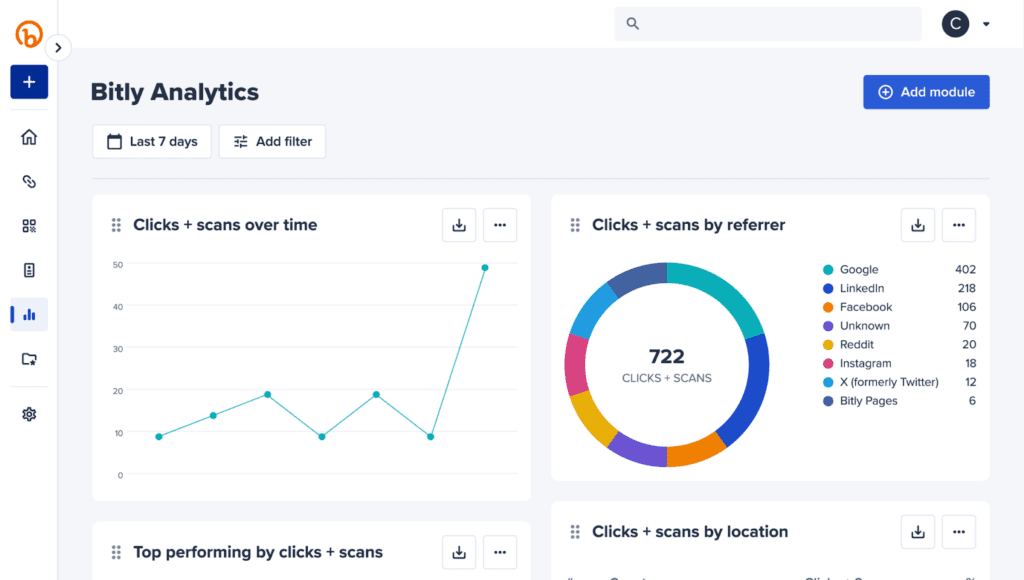
This allows affiliate marketers and media buyers to create more efficient funnels, enhance targeting, and boost conversion rates by knowing how users engage with content across channels.
AI Features
Bitly’s AI capabilities combine LLM integrations and the model context protocol (MCP) to embed full link management functionality directly into AI tools like ChatGPT or Claude.
With LLM integrations, you can create, customize, and analyze links or QR codes using natural language, automate UTM tagging, and maintain consistent naming conventions without leaving your workflow.
MCP extends this further by enabling AI agents to take real actions like generating links, retrieving analytics, organizing assets, and accessing account data.
It’s all available through a standardized interface and prompts. Together, these features eliminate context switching, improve campaign execution, and turn AI conversations into full-scale marketing operations.
Most Popular Bitly Integrations
The app integrates with dozens of widely used platforms, making it easier to manage short links, QR codes, and analytics within existing workflows. Below are the most valuable integrations for affiliate marketers, content creators, and teams focused on traffic monetization.
Bitly x Adobe Express
Users can generate QR codes and short links directly inside Adobe Express without leaving the editor. Even after publishing, destination URLs can be updated without changing the design. This allows designers and marketers to run visual campaigns with more flexibility and faster A/B testing.
Bitly x Twitch
Streamers create and display Bitly links and QR codes directly from the Creator Dashboard. These can be displayed during live streams, with real-time click tracking and support for custom domains.
Bitly x Oktopost
Standard okt.to links are automatically replaced with branded Bitly links, with click tracking available inside the platform. This helps B2B marketers, especially on LinkedIn, to gain more trust and clearer analytics.
Bitly x Salesforce
Bitly integrates with Salesforce, enabling advanced link management within CRM and marketing workflows. Key capabilities include:
- Sending personalized short links via SMS;
- Integrating with Marketing Cloud Engagement;
- Tracking leads and user interactions with content;
- Managing social media publishing across teams and regions.
Bitly x Microsoft Edge and Firefox
Browser extensions allow you to shorten links instantly with a single click. Additional features include:
- Editing custom back halves;
- Copying links to the clipboard;
- Generating QR codes;
- Quickly inserting links into messages or documents.
Bitly x Google Sheets
With Bitly integrated into Google Sheets, you can use the following features:
- Bulk shortening of URLs;
- Generating custom branded links;
- Accessing click statistics for each link.
Bitly x ChatGPT
Short links, QR codes, analytics, and campaign management are handled within a single chat interface. Due to the direct integration with ChatGPT, your tasks will be completed faster without switching between platforms.
Bitly x Canva
Within Canva, you can:
- Generate and edit Bitly QR codes;
- Insert existing codes into designs;
- Create branded short links;
- Analyze performance via Bitly Connections.
Read also: best cloaking tools for affiliate marketers and media buyers in 2026.
How Much Does Bitly Cost
The app offers four pricing tiers, ranging from a free plan to enterprise-level solutions. Each plan is designed to match different usage levels and feature needs. Let’s take a look at the current offers in 2026.
| Feature | Free | Core | Growth | Premium |
| Monthly Cost | $0 | $10 | $29 | $199 |
| Annual Total | $0 | $120 | $348 | $2,388 |
| Short Links | $5 /mo | $100 /mo | $500 /mo | $3,000 /mo |
| QR Codes | $2 /mo | $5 /mo | $10/mo | $200 /mo |
| Custom Back-halves | 3 /mo | Unlimited* | Unlimited* | Unlimited* |
| Landing Pages | 2 | 5 | 10 | 20 |
| Data History | None | 30 Days | 4 Months | 1 Year |
| Custom Domain | No | No | Included | Included |
These plans allow you to scale their usage as your affiliate marketing needs grow. You can get everything from simple link management to full-scale marketing infrastructure.
Summary
Bitly provides flexible pricing that adapts to different goals. You can get everything from basic personal use to complex marketing ecosystems with branded domains and advanced analytics. In 2026, it remains one of the most convenient platforms for managing short links, QR codes, and campaign performance.
It’s especially valuable for affiliate marketing, performance tracking, and brand-building.
As an affiliate marketer, you can centralize link management, measure results across channels, and optimize campaigns based on real-time data.
FAQ
Bitly doesn’t generate traffic on its own, it helps distribute and track it. You can place shortened links in social media, email campaigns, blogs, or even offline materials. The platform then shows which channels drive the most clicks, helping you refine your promotion strategy.
Go to bitly.com and click Sign Up. Choose a plan (or start with the free version), enter your email and password, or sign in via Google or Apple. Once registered, you can immediately start shortening links and generating QR codes. The process is quick and user-friendly, making it easy to start using the platform without technical setup or onboarding barriers.
Yes, Bitly is good because it combines reliability with practical marketing value: it creates clean branded links, tracks performance in one place, and simplifies campaign management. Its ease of use and consistent redirects make it a reliable choice for regular users, marketers, and businesses running multi-channel campaigns.
No, Bitly does not pay users for clicks or link usage. It’s a tool for link management and analytics, not a monetization platform. However, it can support monetization strategies like those in affiliate marketing by helping you distribute links effectively and track performance across campaigns.

Ksenia has extensive hands-on experience in affiliate marketing, having worked as a media buyer and affiliate for several years across multiple verticals. Throughout her career, she managed traffic from a wide range of sources, tested funnels, and collaborated directly with advertisers and networks.
For the past six years, she has also been writing in-depth articles, reviews, and analytical guides about affiliate marketing. Her work has appeared on well-known industry blogs and platforms, where she covers topics such as traffic sources, compliance, creatives, tracking, and campaign optimization.
Today, Ksenia combines practical experience with editorial expertise, contributing as a guest expert to various affiliate marketing projects and helping educate both beginners and experienced affiliates.

Ratmir started his copywriting career back in 2016. He is now editor-in-chief with an MA with Honors in Linguistics.
His primary expertise is in affiliate marketing, EdTech, education, IT, and sports.
Ratmir specializes in content marketing, content management, proofreading, and translation.